How to transfer a domain away from Network Solutions

Quick Answer
To transfer a domain away from Network Solutions, log in to your account, unlock the domain, request the authorization (EPP) code, and start the transfer with your new registrar. Most domain transfers take 5–7 days to complete once approved.
Steps to Transfer a Domain From Network Solutions
1. Log in to your Network Solutions account
Go to your Network Solutions Account
Enter your ‘Username’ and ‘Password’
2. Open your domain settings
Go to your domain list
Find the domain you’re looking for and click Settings

3. Unlock the domain
Scroll down to “Transfer or Move Domain”
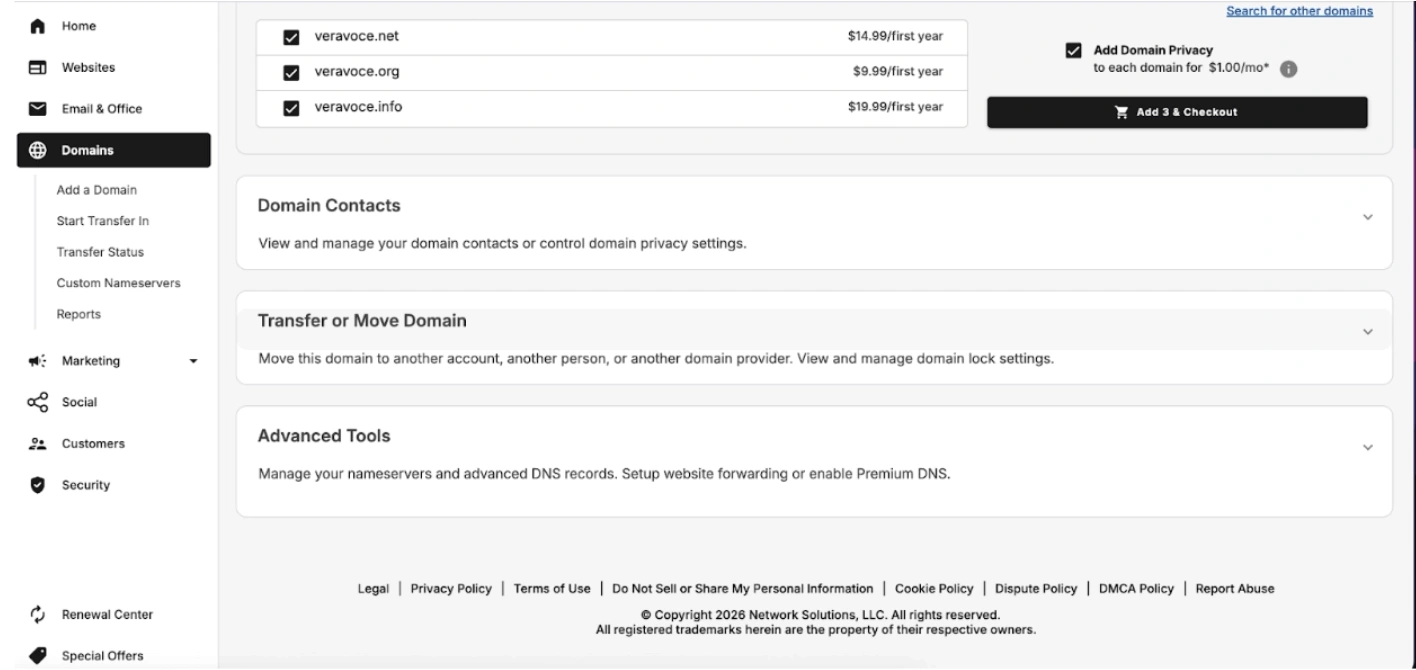
Toggle off the “Domain Locked” section to unlock the domain.
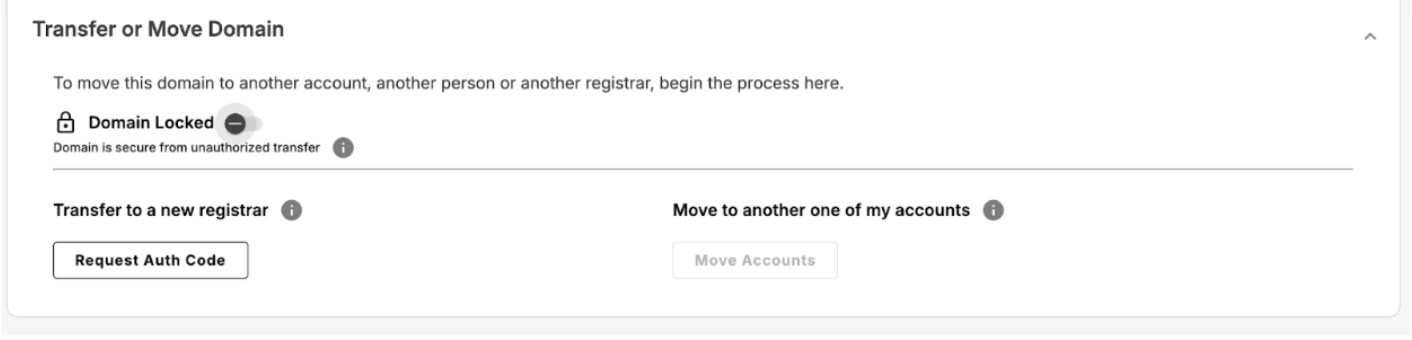
4. Request the authorization (EPP) code
Once it’s unlocked, click “Request Auth Code”
Note that if your domain is locked due to a transfer into Network Solutions, or you updated your registrant contact info, the domain is locked for 60-days and cannot be transferred out. This is due to ICANN regulations and is not controllable by Network Solutions.

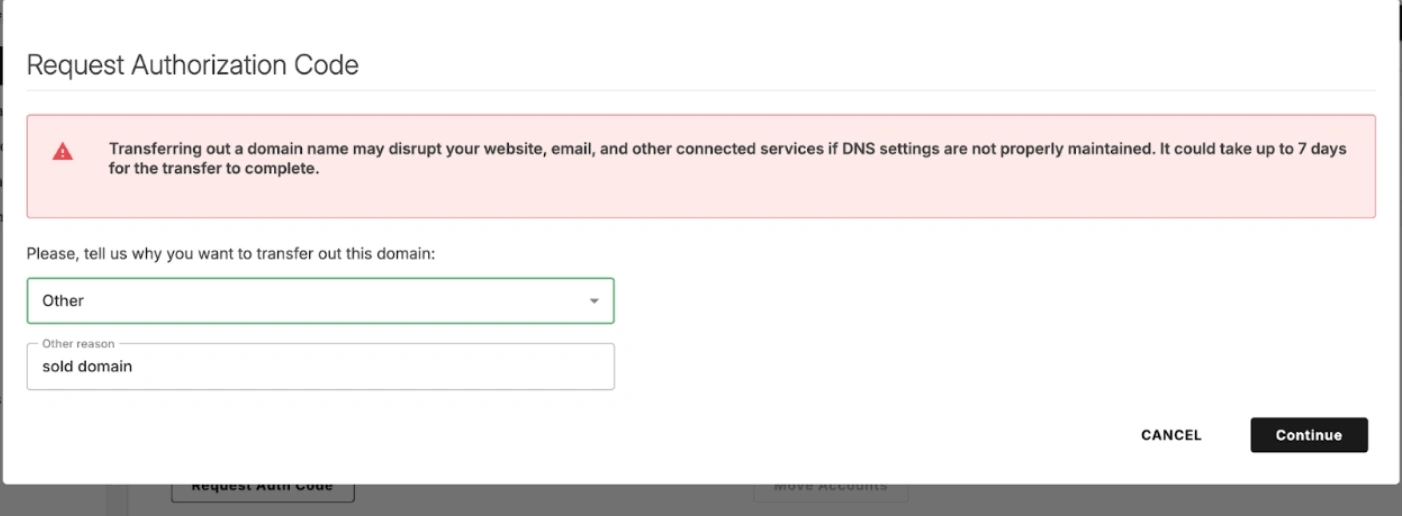
When asked why you want to transfer the domain, select “Other” and for reason just say “Sold Domain or whatever your reason is”. Click “Continue.”
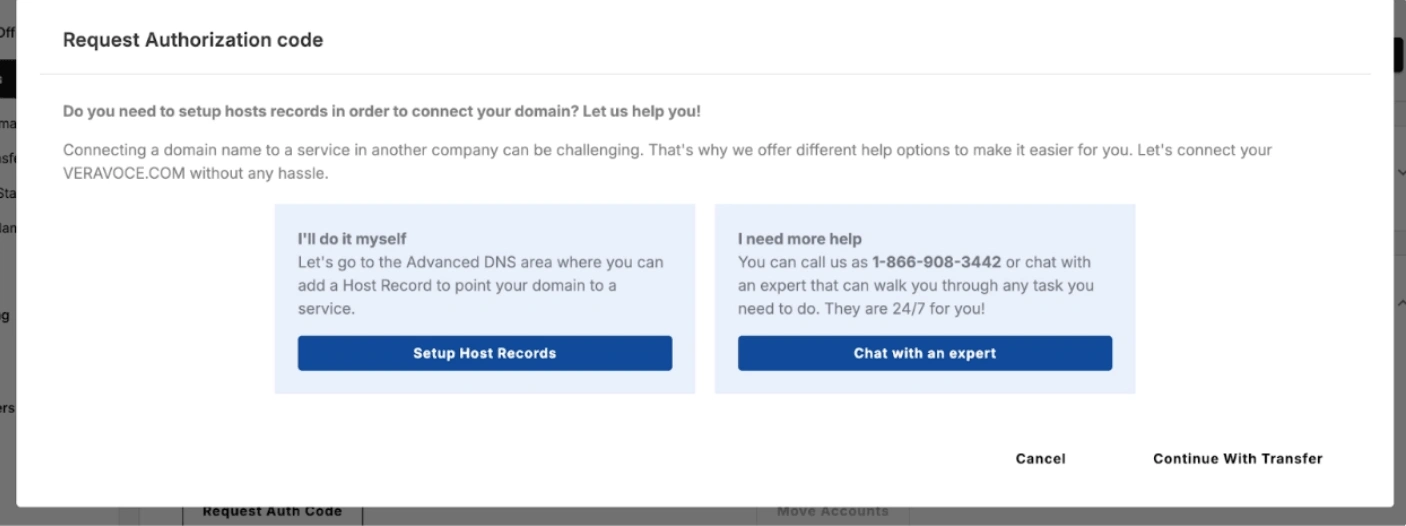
You’ll be asked “Do you need to setup hosts records in order to connect your domain? Let us help you!”. Just click “Continue with Transfer” at the bottom right-hand corner.
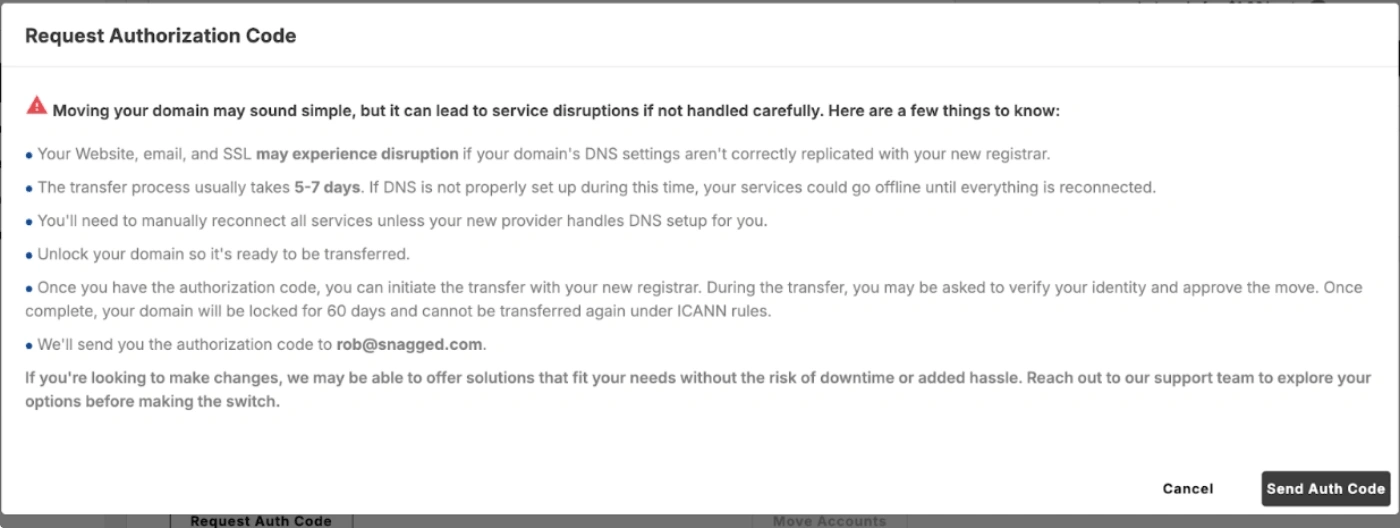
You’ll see a scary looking “moving your domain may sound simple” message, but ignore. Click “Send Auth Code” in the bottom right-hand corner.
You’ll get a confirmation that your request has been submitted.
The code will then be sent to the registrant email address, anything from 30 mins to 72 hours from your submission.
5. Start the transfer at your new registrar
Go to the registrar you are transferring the domain to
Need registrar-specific instructions? Browse our guides for:
Enter the domain name
Provide the EPP code
6. Approve the transfer
Check your email for the transfer approval request, which may or may not come. Network Solutions usually does NOT send a transfer approval request, meaning you’ll need to wait for the full transfer period to complete before the domain moves to a new registrar.
Confirm the transfer
Transfers typically complete within 5–7 days.
Common Issues
- Domain is still locked
- Return to Domain Security
- Confirm Domain Lock is OFF
- EPP code email not received
- Check your spam or junk folder
- Confirm the registrant contact email is correct
- Unable to request the code
- The domain may still be locked
- Unlock the domain before requesting the authorization code
If all else fails, contact Network Solutions support to help.
We regularly review and update our guides to keep them accurate. If something looks off, email guides@snagged.com and we’ll fix it.