How to transfer a domain away from Namecheap
Quick Answer
To transfer a domain away from Namecheap, log in to your account, unlock the domain, disable privacy if needed, get the authorization (EPP) code, and start the transfer with your new registrar. Transfers typically complete within 5–7 days.
Steps to Transfer a Domain Away From Namecheap
1. Log in to your Namecheap account
Go to your Namecheap Acc
Click Sign In
Access your dashboard
2. Open your domain list
Click Domain List
Find the domain you want to transfer
Click Manage at the far right of the domain

3. Unlock the domain
Locate Sharing & Transfer on the menu located at the top of your screen
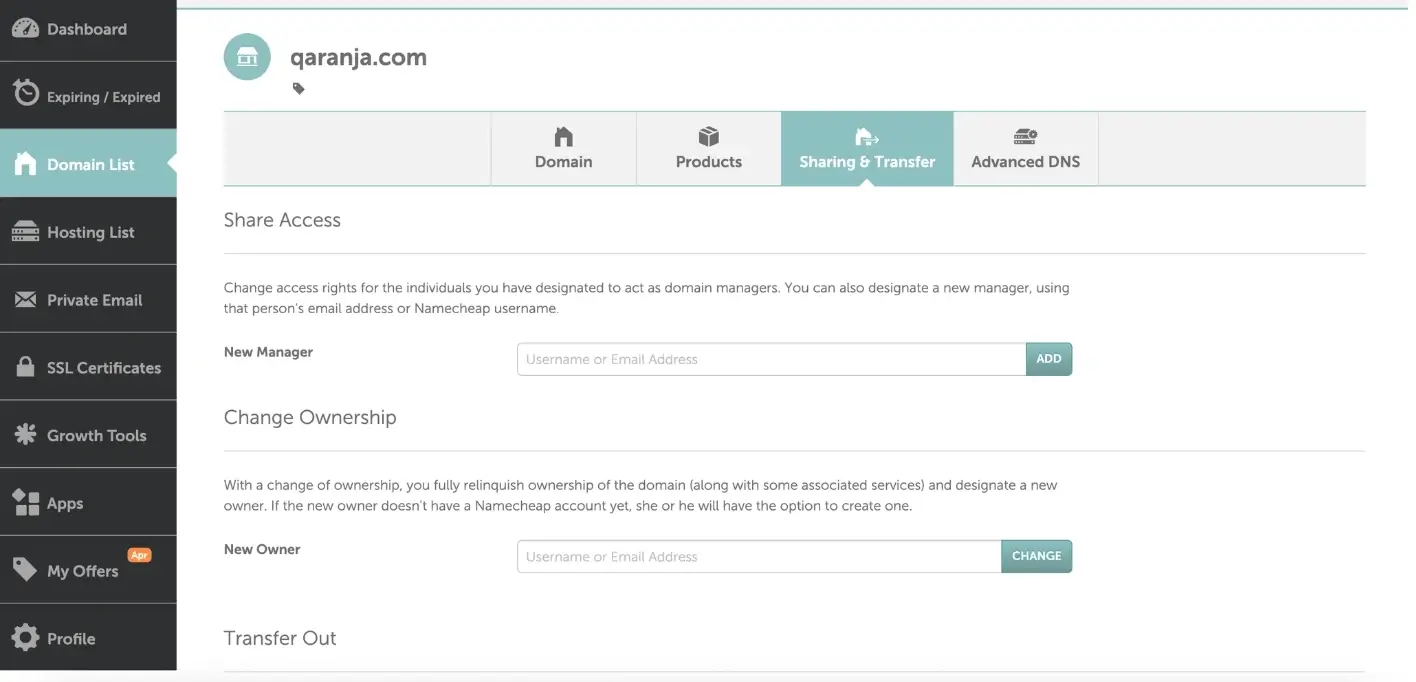
Scroll down to Domain Lock under “Transfer Out” and click “Unlock”
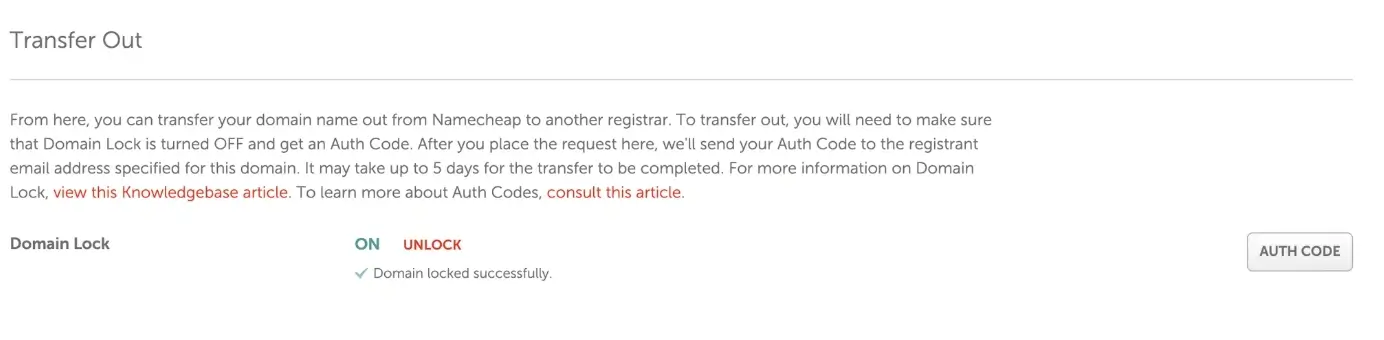
Note that if your domain is locked due to a transfer into Namecheap, or you updated your registrant contact info, the domain is locked for 60-days and cannot be transferred out. This is due to ICANN regulations and is not controllable by Namecheap.
4. Get the authorization (EPP) code
Select Auth Code at the far right
A pop-up will appear that will prompt you to select “Why are you transferring your domain out of Namecheap?” Select “Other” then click “Send Code.”
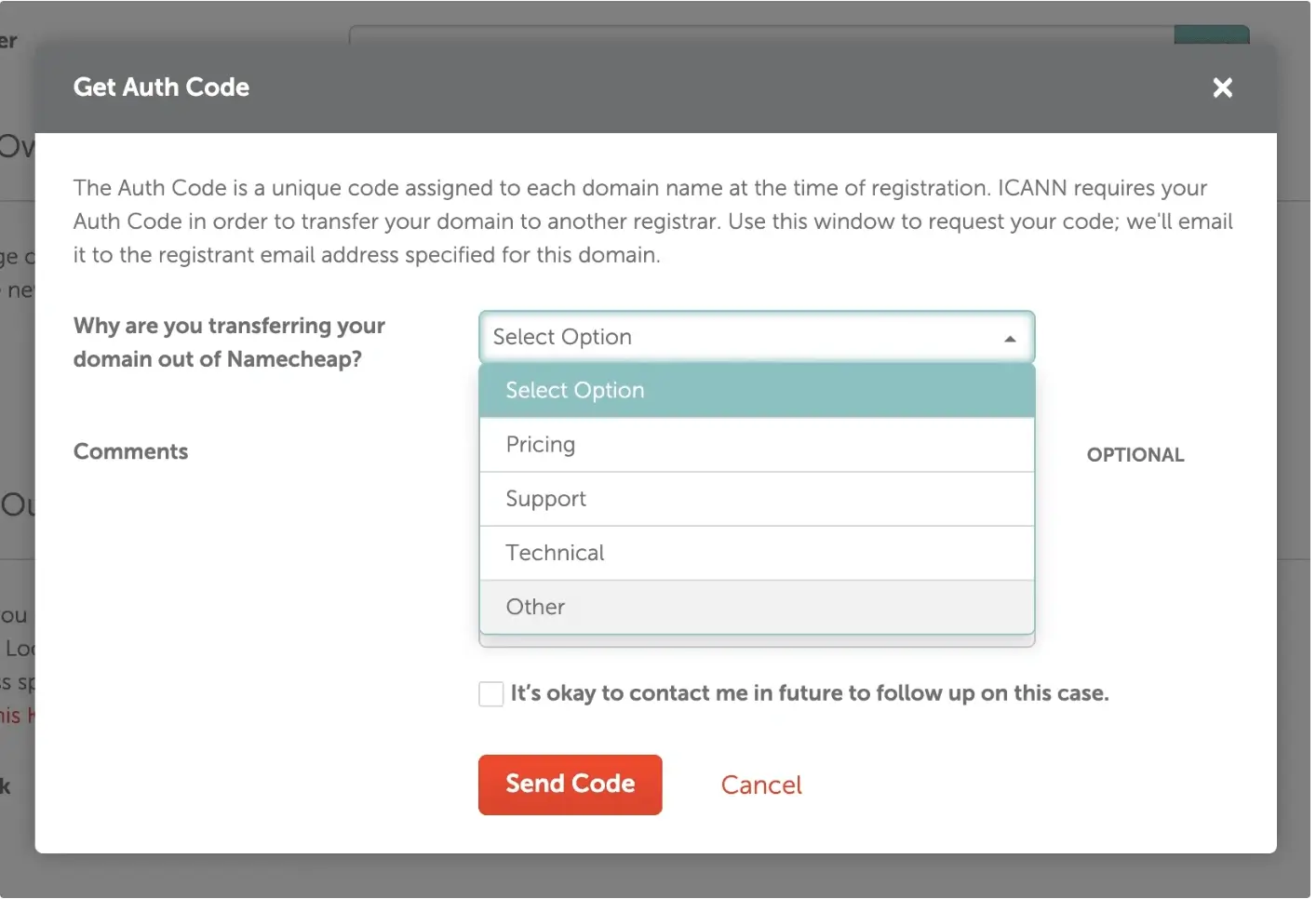
The Auth Code will then be sent to your registered email address
5. Start the transfer with your new registrar
Go to the registrar you are transferring to
Enter your domain name
Provide the EPP code
6. Approve the transfer
Check your email for the transfer request
Approve the transfer
What Happens Next
Transfers typically complete within 5–7 days
Some transfers can be approved early to speed up the process
Common Issues
- Authorization code not working
- Make sure the domain is unlocked
- Request a new code if needed
- Transfer taking too long
- Check for pending approval emails
- Approve the transfer manually if prompted
We regularly review and update our guides to keep them accurate. If something looks off, email guides@snagged.com and we’ll fix it.