How to transfer a domain away from GoDaddy

Quick Answer
To transfer a domain away from GoDaddy, log in to your account, unlock the domain, disable transfer lock, request the authorization (EPP) code, and start the transfer with your new registrar. Transfers typically complete within 5–7 days.
Steps to Transfer a Domain Away From GoDaddy
1. Log in to your GoDaddy account
Log into to your GoDaddy Account
Go to Profile located at the top right corner of your screen
Click “My Products” to access domain portfolio once the dropdown menu appears
2. Open your domain settings
Find the domain you want to transfer
Click on “Domain” on the menu located at the far left of your screen
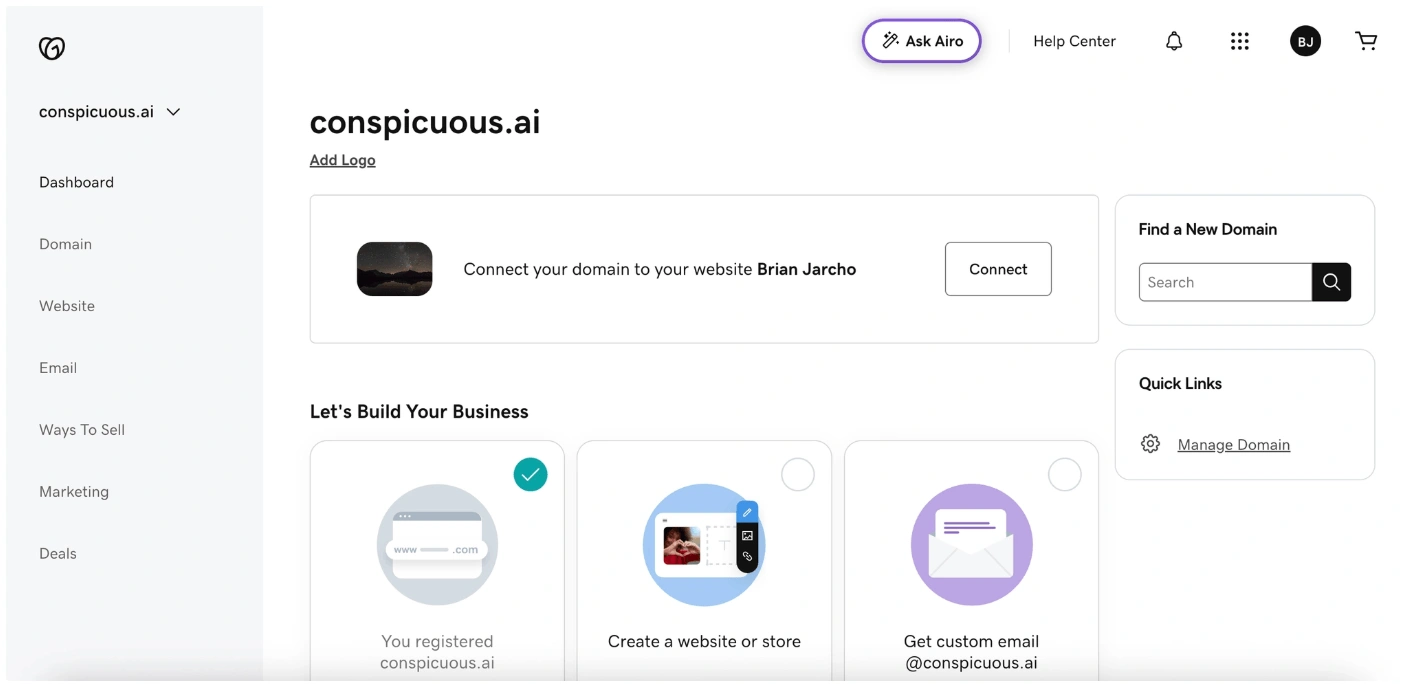
Now click on “Registration Settings” on the menu at the top
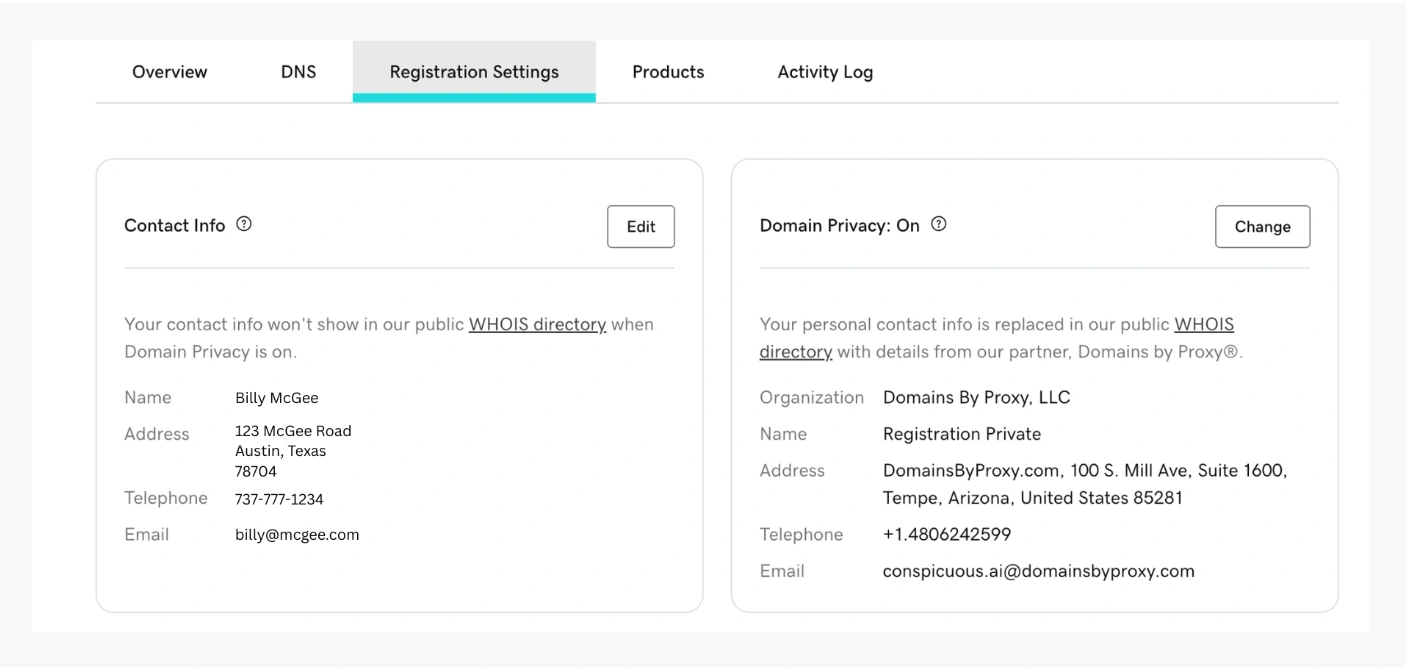
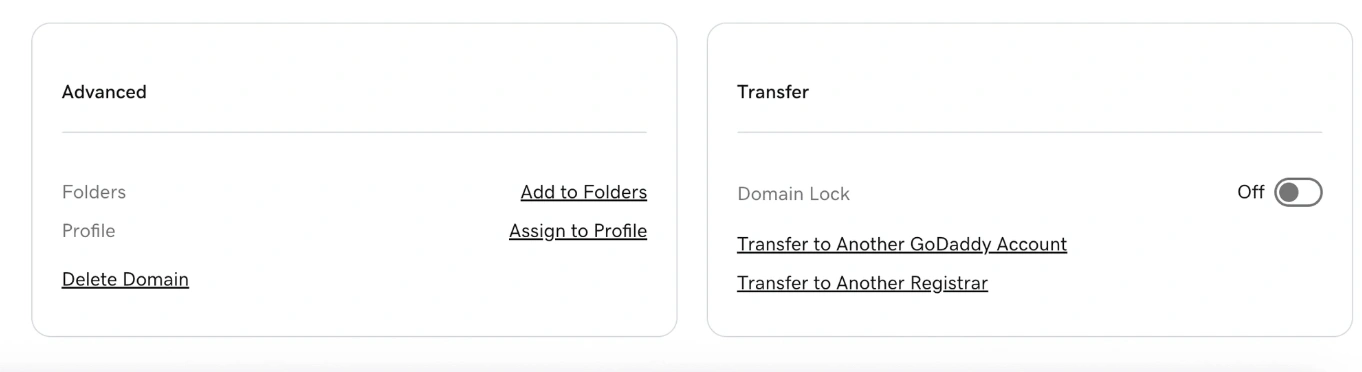
Scroll down to the bottom of your screen under “Transfer”
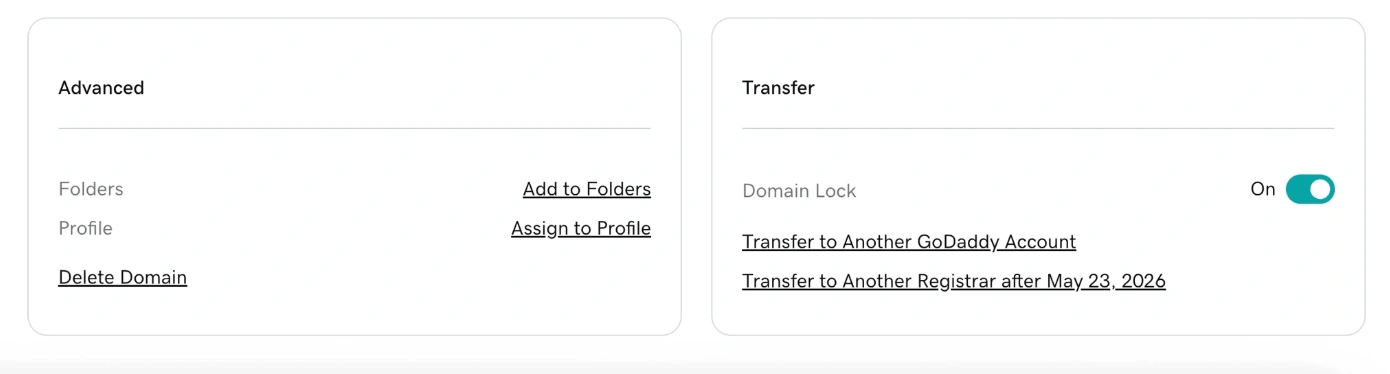
3. Unlock the domain
Toggle off “Domain Lock” under Transfer
A pop-up will appear asking if you would like to continue with the domain unlock process
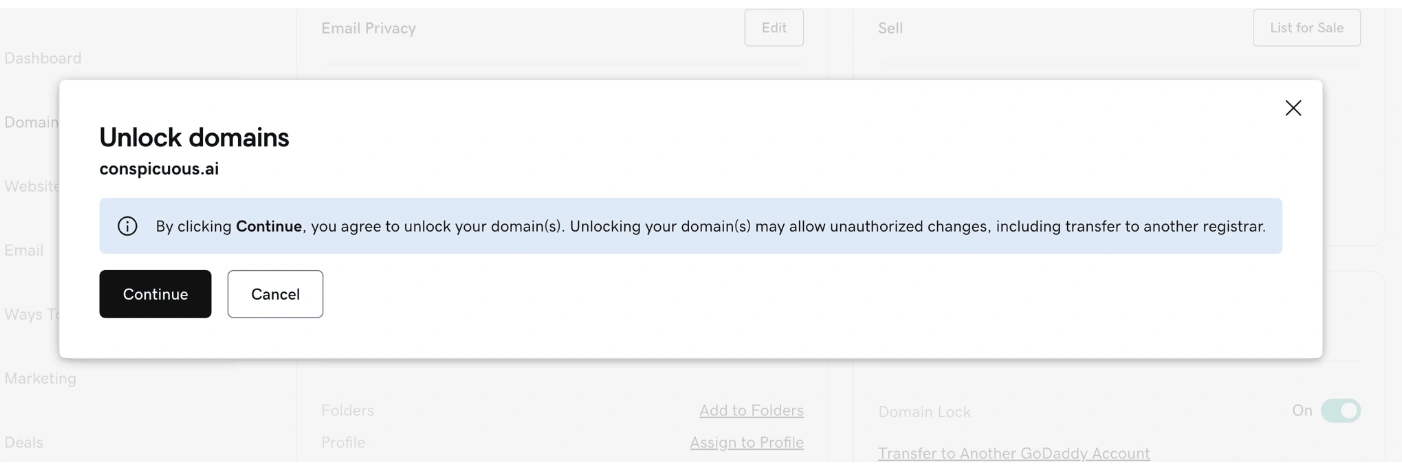
Click Continue for the domain to be unlocked
4. Get the authorization (EPP) code
Still on the Transfer section, click “Transfer to Another Registrar”
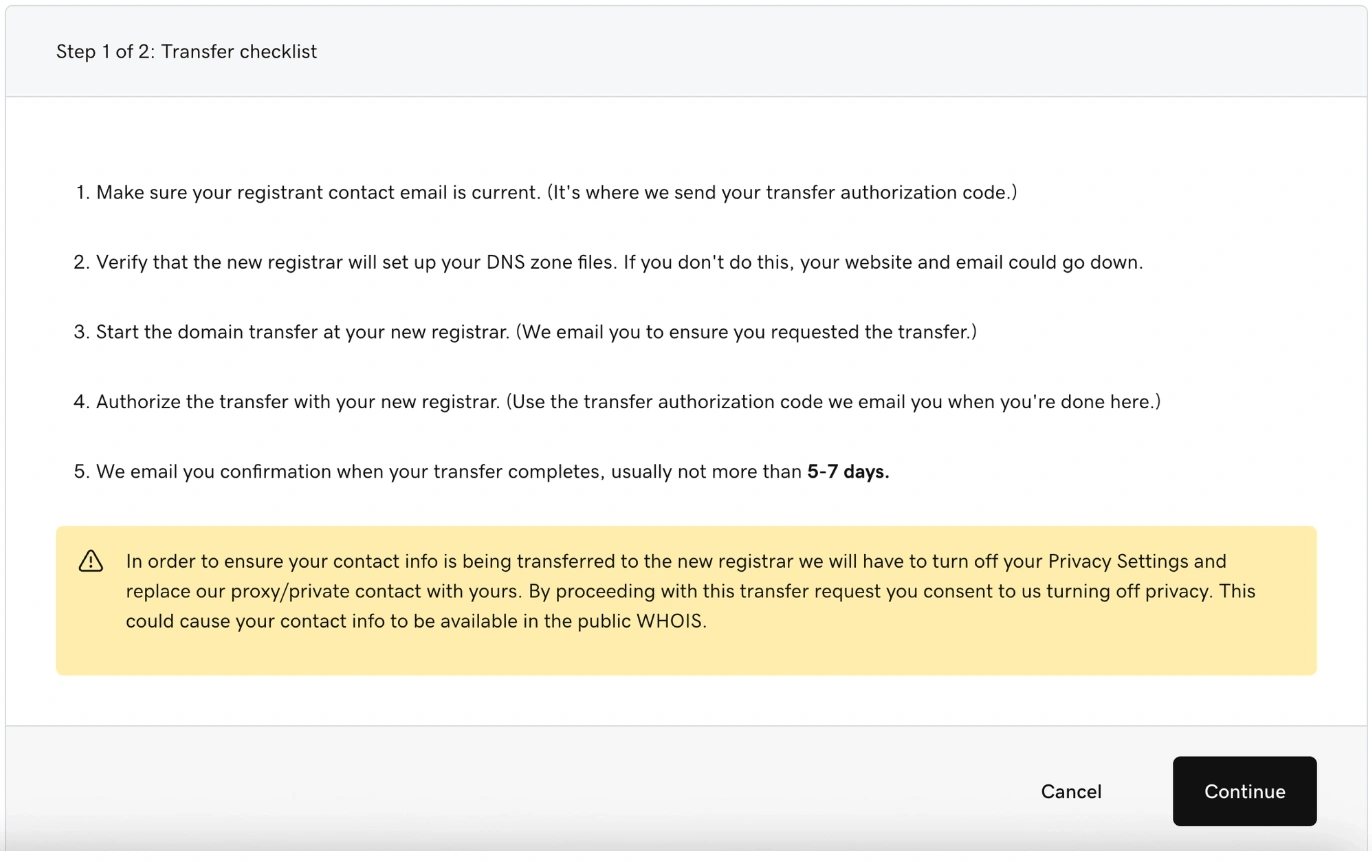
A checklist will appear. Once you’ve read and understood it, click “Continue.
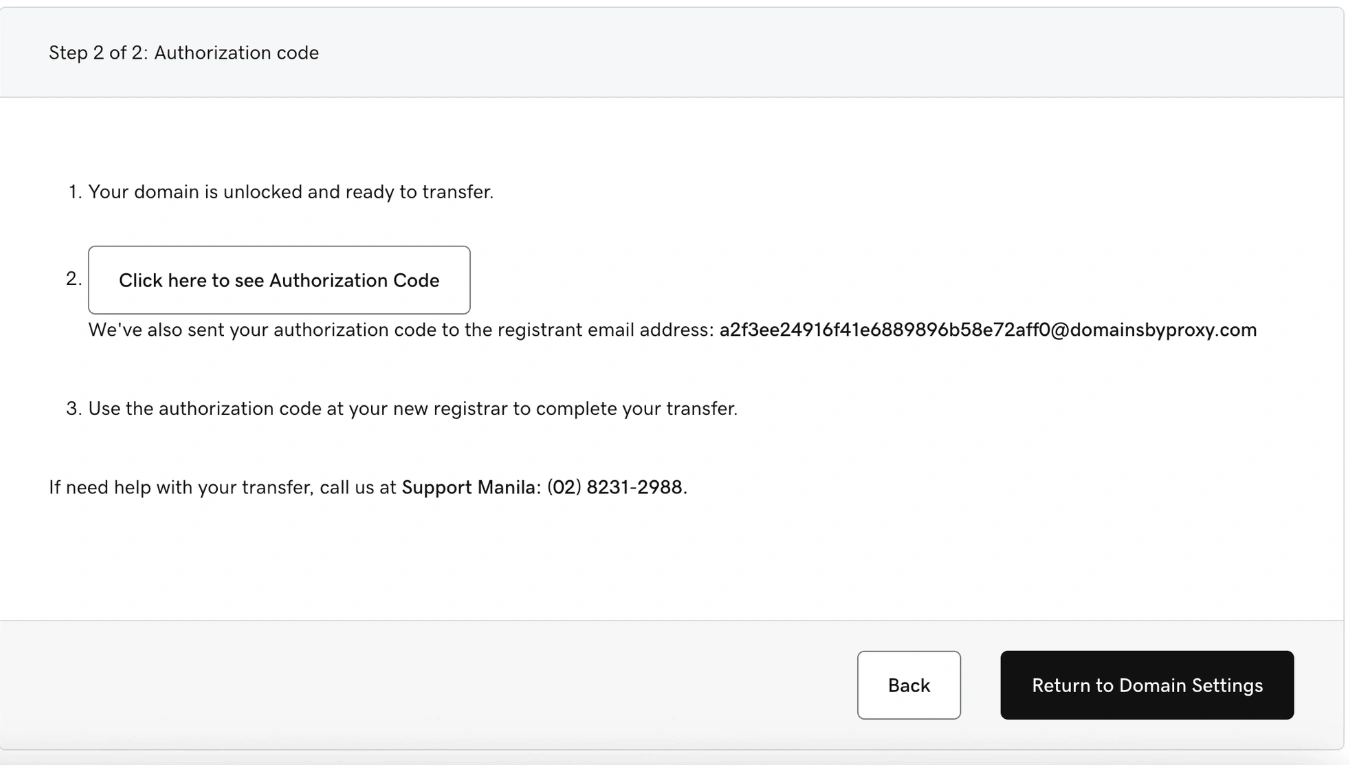
Now click the Auth Code box to reveal and copy the Authorization Code
Note that if your domain is locked due to a transfer into GoDaddy, or you updated your registrant contact info, the domain is locked for 60-days and cannot be transferred out. This is due to ICANN regulations and is not controllable by GoDaddy.
5. Start the transfer with your new registrar
Go to the registrar you are transferring the domain to
Need registrar-specific instructions? Browse our guides for:
Enter your domain name
Provide the EPP code
6. Approve the transfer
Check your email for the transfer request
Approve the transfer
7. Optional: speed up the transfer
Return to GoDaddy
Approve the outbound transfer to skip the waiting period
What Happens Next
Transfers typically complete within 5–7 days
Early approval can speed up the process
Common Issues
- Domain cannot be transferred
- Domain may be less than 60 days old
- ICANN rules prevent transfers within 60 days of registration or prior transfer
- Authorization code not working
- Make sure the domain is unlocked
- Request a new code if needed
- Transfer taking too long
- Check for pending approval emails
- Manually approve the transfer in GoDaddy to speed it up
We regularly review and update our guides to keep them accurate. If something looks off, email guides@snagged.com and we’ll fix it.