How to renew a domain name on Porkbun

Quick Answer
To renew a domain name on Porkbun, log in to your account, go to Domain Management, select your domain, and choose the Renew option. Complete checkout to extend the registration.
Steps to Renew a Domain Name on Porkbun
1. Log in to your Porkbun account
Go to your Porkbun Account
Enter your ‘Username’ and ‘Password’
Access your dashboard
2. Open domain management
Go to your list of your domains
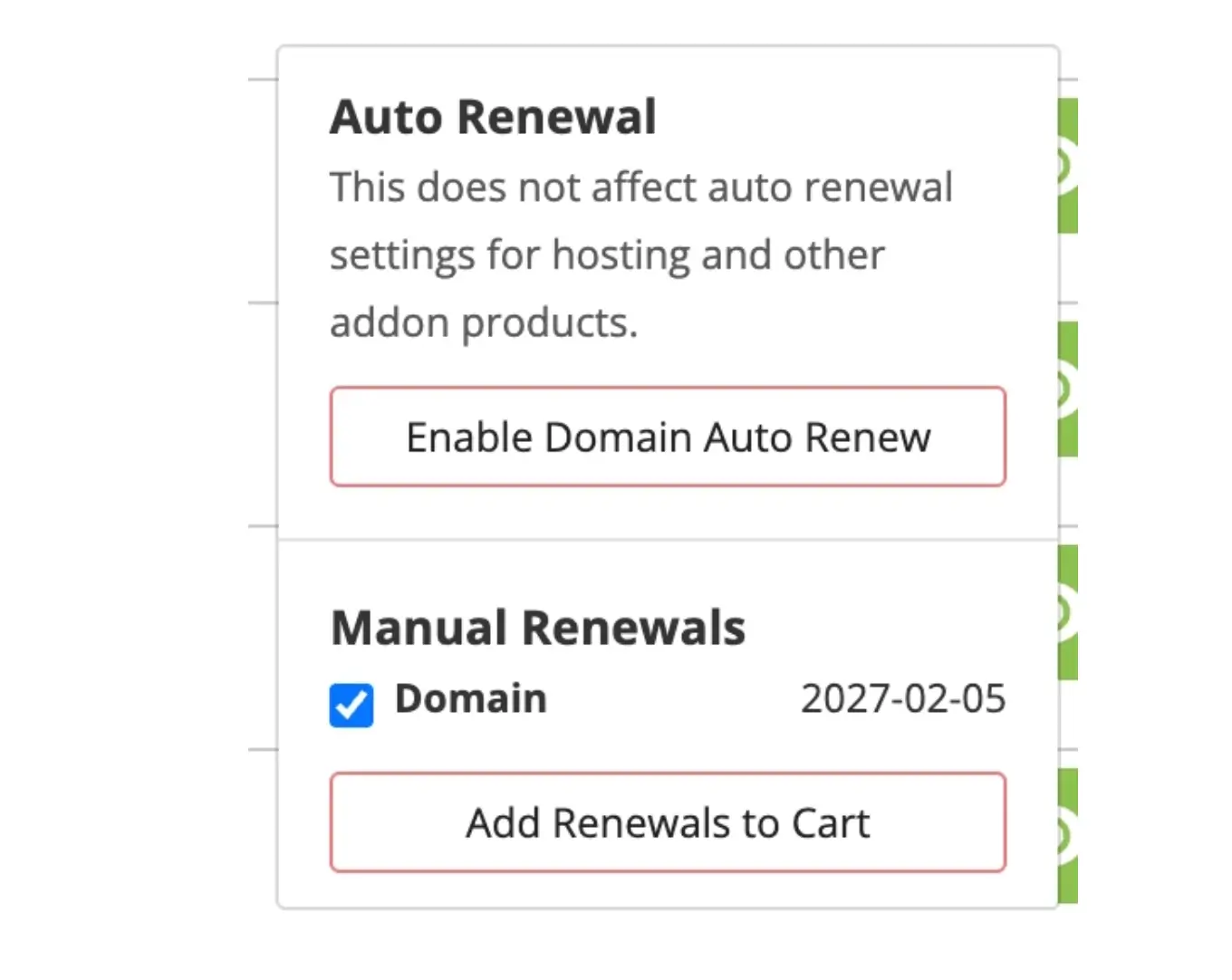
Locate the domain you want to renew and click the “Renew” icon

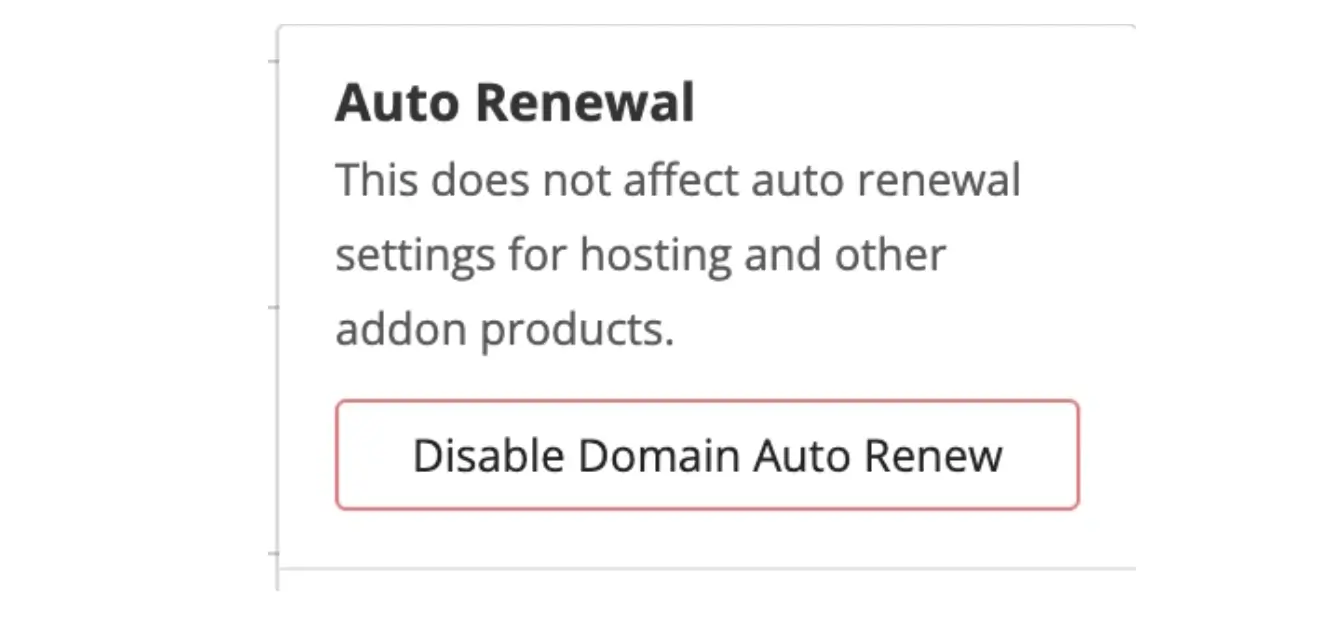
A pop-up will appear which enables you to enable/disable the auto-renew option
Note: Best practice on names you care about holding on to is to set up Auto Renew
3. Proceed to checkout
Under Manual Renewals, click “Add Renewals to Cart”
Choose the number of years to renew
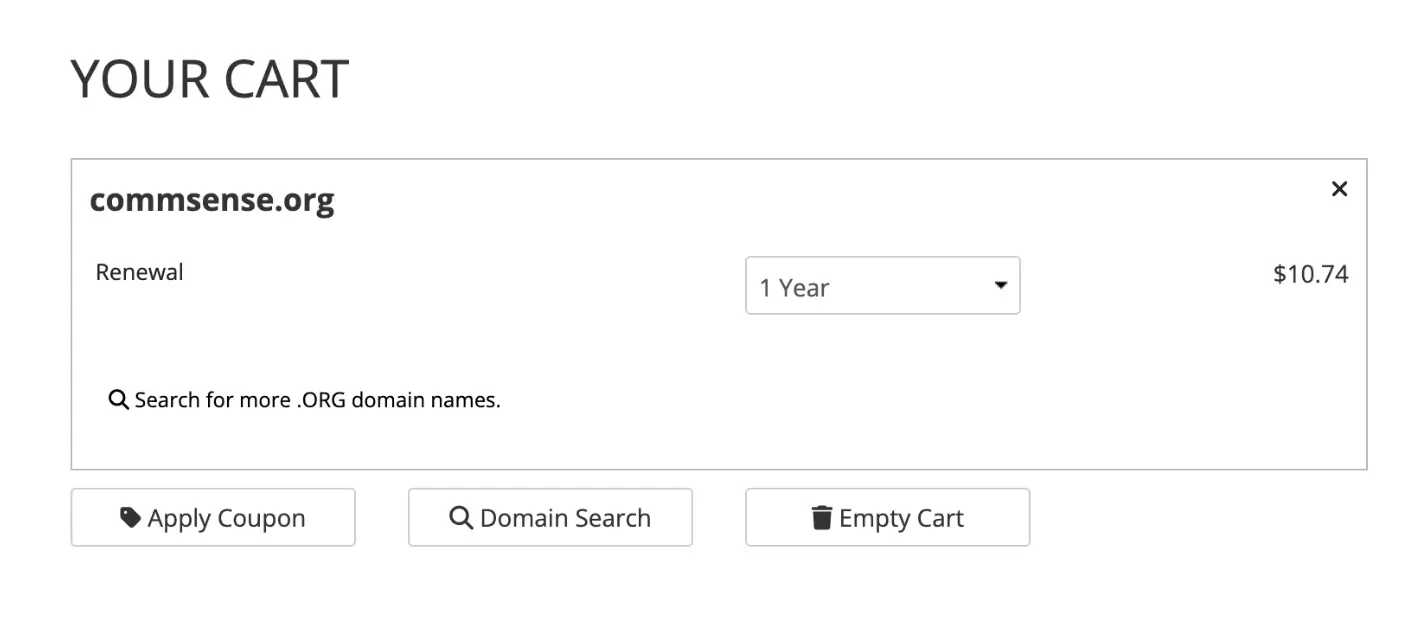
Scroll down on the same page to “Continue to Billing”
Review your order
Enter payment details
Submit your order
What Happens Next
The domain renewal is processed immediately, and the expiration date is extended by the selected term.
Common Issues
- Renew option not visible
- Make sure the domain is in your account
- Refresh the page and try again
- Domain already expired
- You may still renew during the grace period
- Additional fees may apply if the domain is in redemption status
We regularly review and update our guides to keep them accurate. If something looks off, email guides@snagged.com and we’ll fix it.