How to change nameservers on Porkbun

Quick Answer
To change nameservers on Porkbun, log in to your account, go to Domain Management, select your domain, and update the Nameservers section with your new nameservers. Changes typically take up to 24–48 hours to propagate.
Steps to Change Nameservers on Porkbun
1. Log in to your Porkbun account
Go to your Porkbun Account
Enter your ‘Username’ and ‘Password’
Access your dashboard
2. Open domain management
Go to your list of your domains
Find the domain you’re looking for and click “Details”

3. Locate nameserver settings
Once Details is expanded, go to Nameservers and click the Edit icon located next to the Nameservers
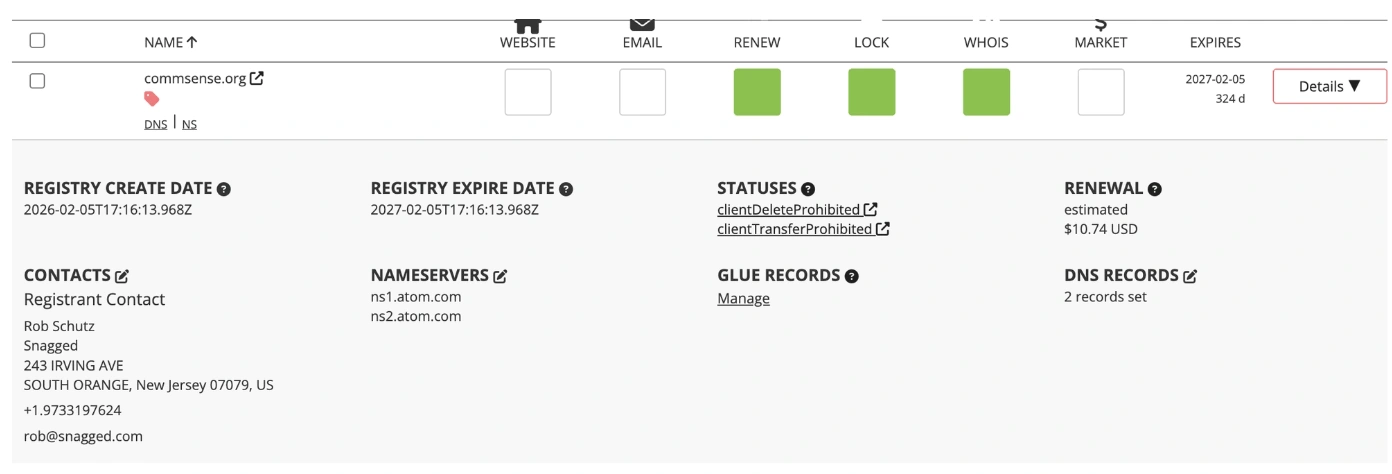
A modal pop up appears that allows you enter your new Nameservers
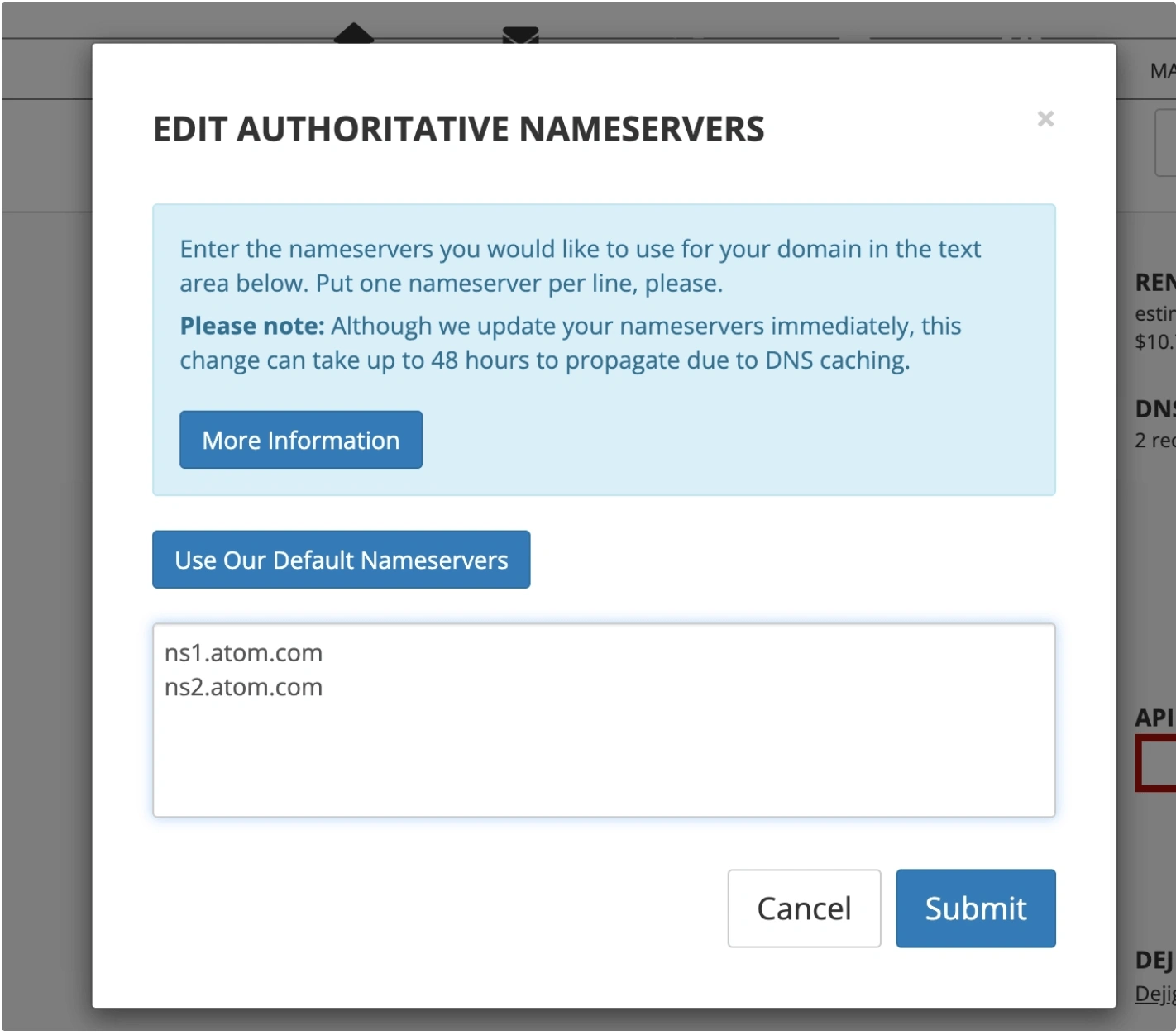
4. Save your changes
Click Save
What Happens Next
Nameserver updates typically propagate within 24–48 hours
During propagation, your website or email may temporarily resolve to old settings
Common Issues
- Nameservers not updating
- Double-check for typos in the nameserver values
- Wait for full DNS propagation
- Cannot edit nameservers
- Ensure the domain is active and not locked in a way that restricts changes
We regularly review and update our guides to keep them accurate. If something looks off, email guides@snagged.com and we’ll fix it.