How to change nameservers on Network Solutions

Quick Answer
To change nameservers on Network Solutions, log in to your account, open My Domain Names, select the domain you want to manage, and update the Nameserver Settings with the new nameservers. DNS changes typically take up to 24–48 hours to fully propagate.
Steps to Change Nameservers on Network Solutions
1. Log in to your Network Solutions account
Go to your Network Solutions Account
Enter your ‘Username’ and ‘Password’
2. Open your domain settings
Go to your domain list
Find the domain you’re looking for and click Settings

3. Locate nameserver settings
Scroll down to “Advanced Tools”
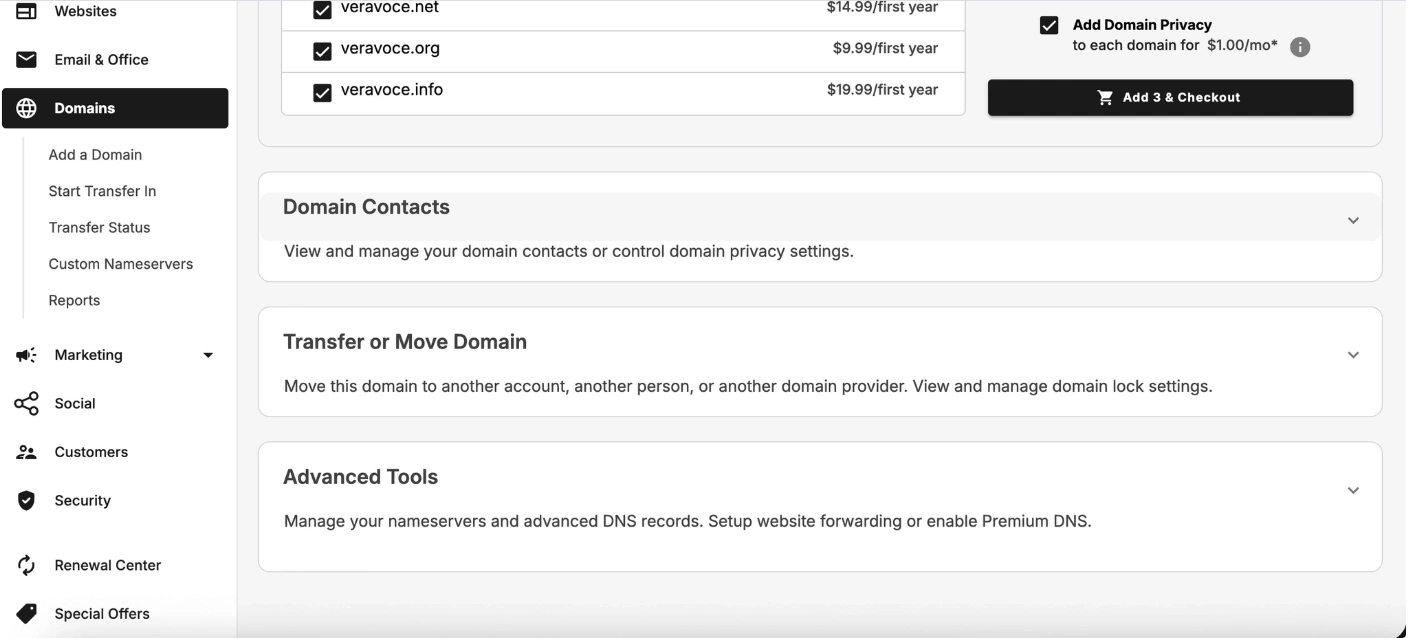
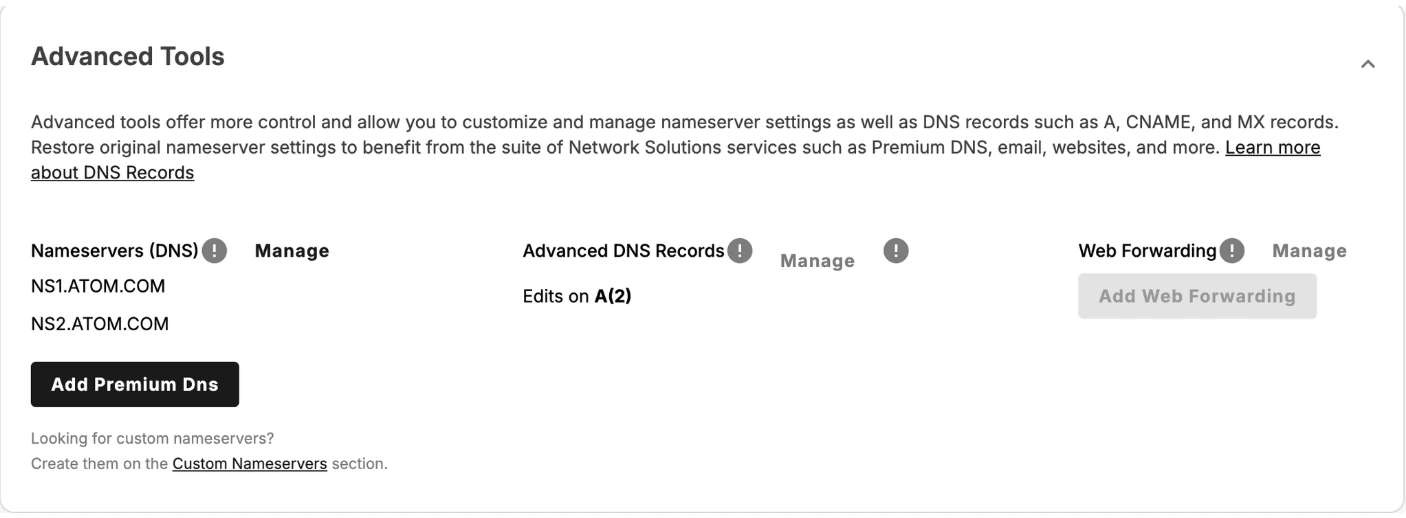
Expand Advanced tools and click “Manage” next to the Nameservers
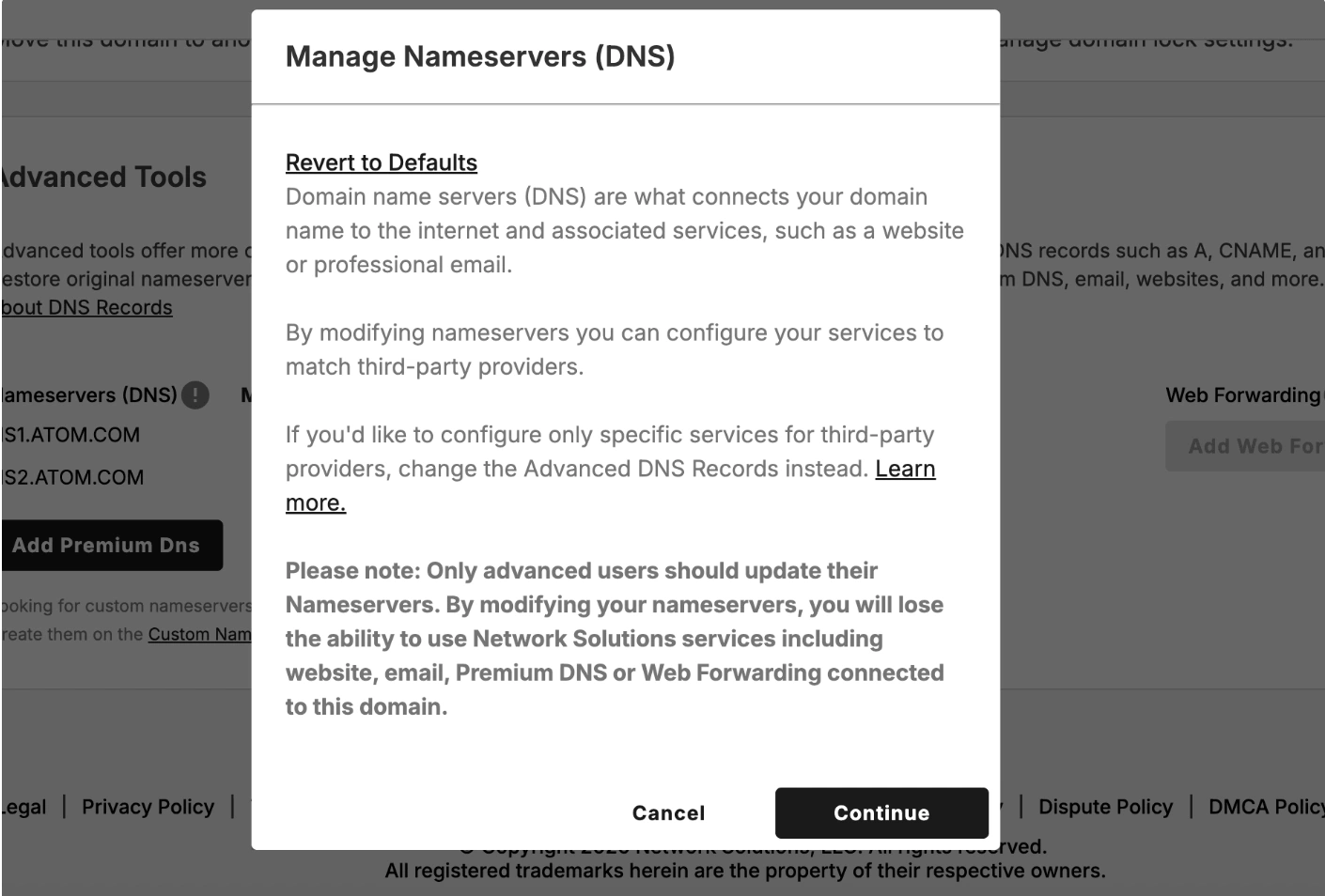
A modal pop up will show up on your screen then click “Continue"
4. Enter the new nameservers
Replace the current nameservers with the new ones.
Example:
ns1.example.comns2.example.com
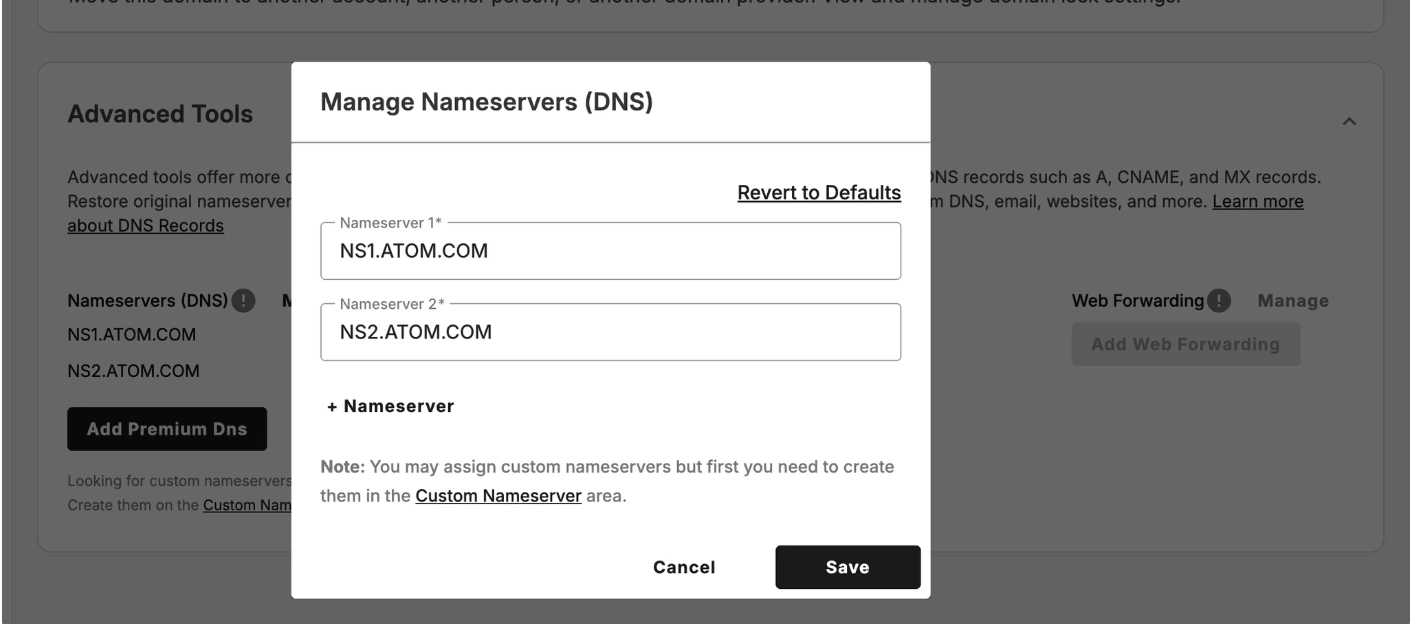
5. Save your changes
Click Save
What Happens Next
Nameserver updates typically propagate within 24–48 hours
During propagation, your website or email may temporarily resolve to the previous settings.
Common Issues
- Nameserver changes not working
- Confirm the nameservers were entered correctly
- Wait up to 48 hours for DNS propagation
- Unable to edit nameservers
- Some domains may be using advanced DNS settings
- Switch to custom nameservers before editing
We regularly review and update our guides to keep them accurate. If something looks off, email guides@snagged.com and we’ll fix it.