How to change domain contact information on Porkbun

Quick Answer
To set up domain forwarding on Porkbun, log in to your account, go to Domain Management, select your domain, and configure URL Forwarding. Enter the destination URL and save your changes to redirect visitors to another website.
Steps to Set Up Domain Forwarding on Porkbun
1. Log in to your Porkbun account
Go to your Porkbun Account
Enter your ‘Username’ and ‘Password’
Access your dashboard
2. Open domain management
Go to your list of domains
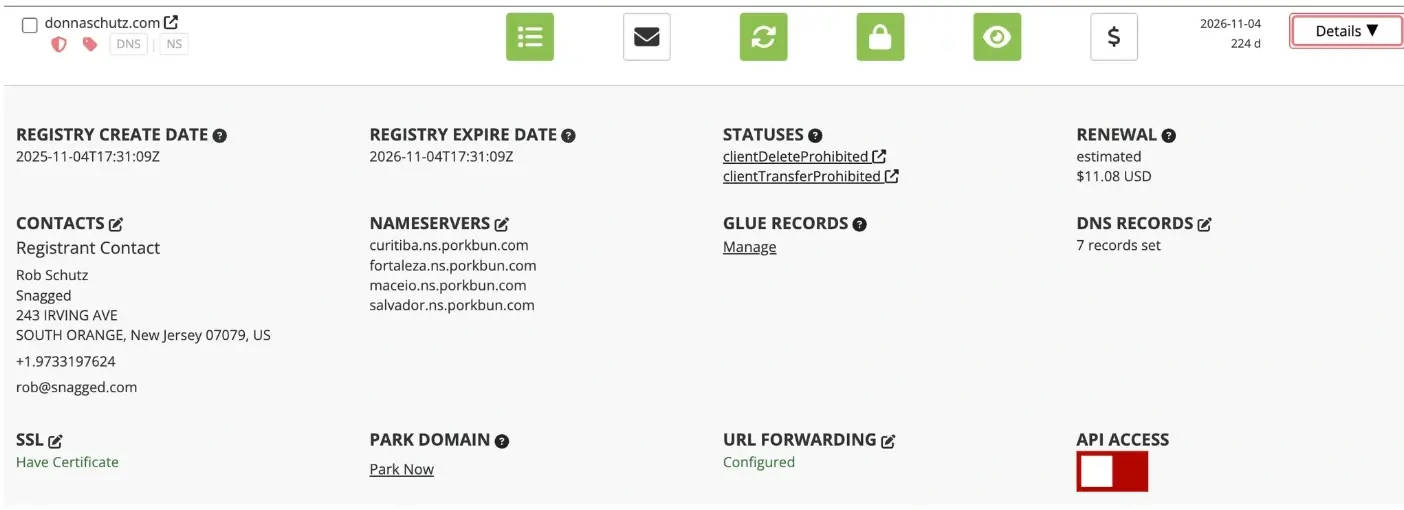
Find the domain you want to forward then click “Details”

3. Open URL forwarding settings
Click the Edit Icon next to URL Forwarding
4. Enter the destination URL
Leave the hostname field blank to forward all traffic to your new domain
Input the full URL under “Foward Traffic To”
Example: https://example.com
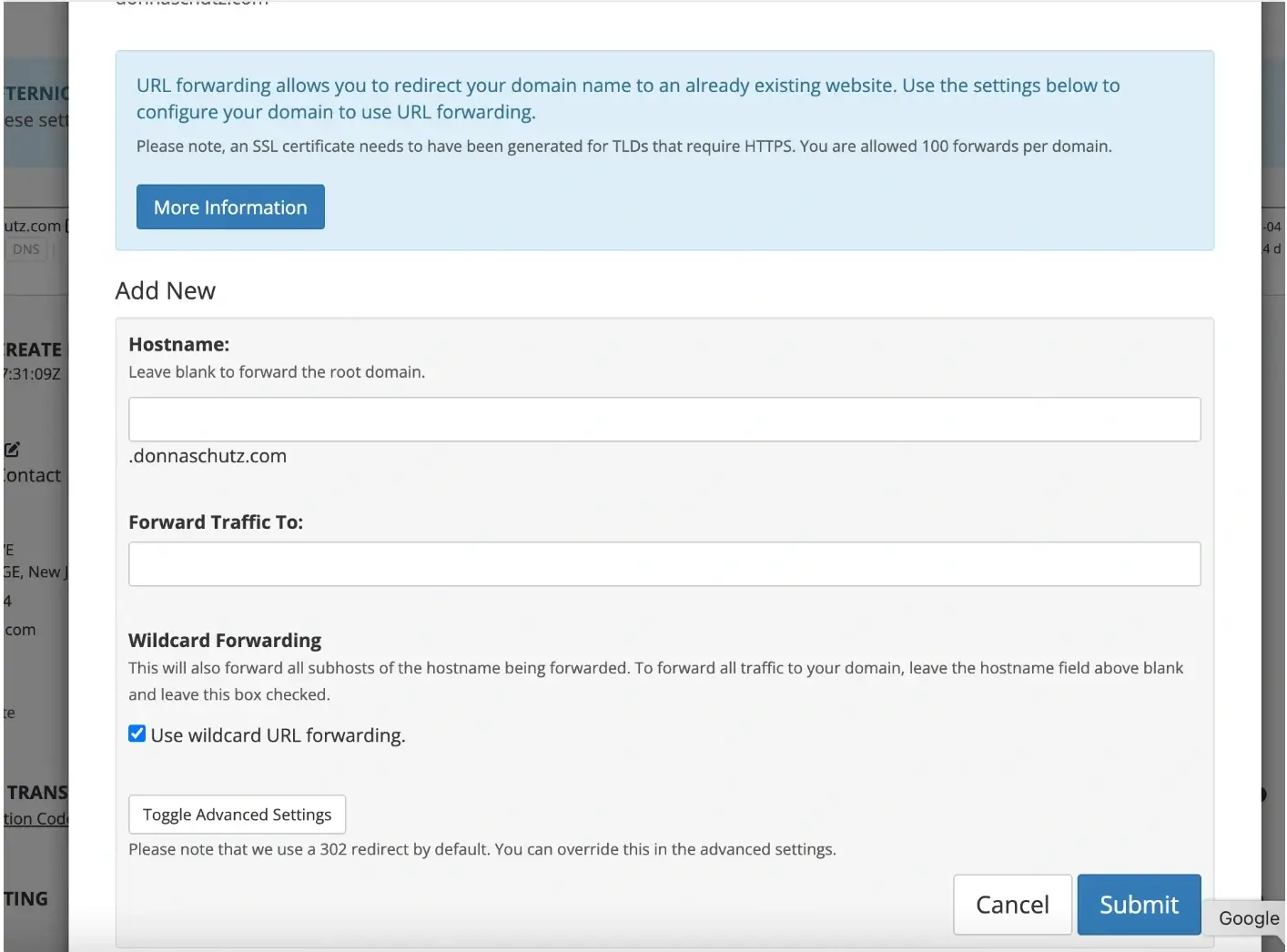
Check/uncheck the Wildcard Forwarding box depending on your needs
Click Submit to effect changes
What Happens Next
Domain forwarding usually starts working within a few minutes, but may take up to a few hours depending on DNS updates.
Common Issues
- Forwarding not working
- Confirm the URL includes http:// or https://
- Wait for DNS propagation
- Domain not redirecting
- Clear browser cache or test in an incognito window
- Ensure forwarding is enabled in settings
We regularly review and update our guides to keep them accurate. If something looks off, email guides@snagged.com and we’ll fix it.