How to change domain contact information on Network Solutions

Quick Answer
To change domain contact information on Network Solutions, log in to your account, open My Domain Names, select your domain, and update the Registrant, Administrative, or Technical contact details. Updating the registrant contact information may trigger a 60-day transfer lock due to ICANN rules, which means you cannot move the domain to another registrar during that time period.
Note: if you plan on needing to transfer the domain in the next 60 days, do not update domain contact information.
Steps to Change Domain Contact Information on Network Solutions
1. Log in to your Network Solutions account
Go to your Network Solutions Account
Enter your ‘Username’ and ‘Password’
2. Open your domain settings
Go to your domain list
Find the domain you’re looking for and click Settings

3. Open Contact settings
Scroll down to “Domain Contacts”
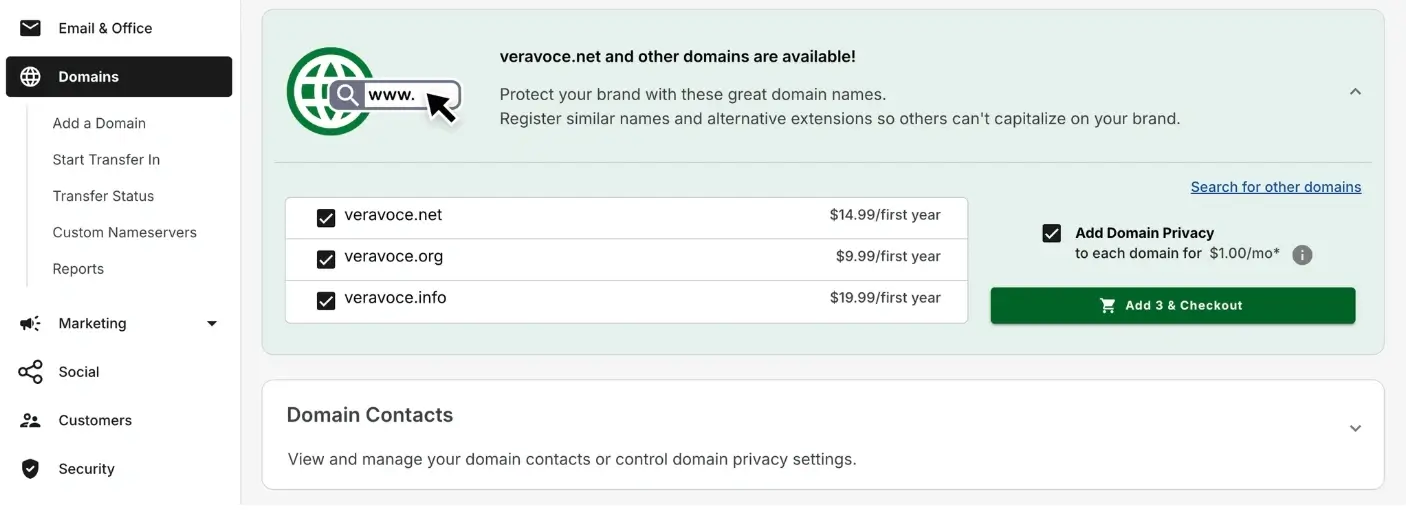
Expand Domain Contacts
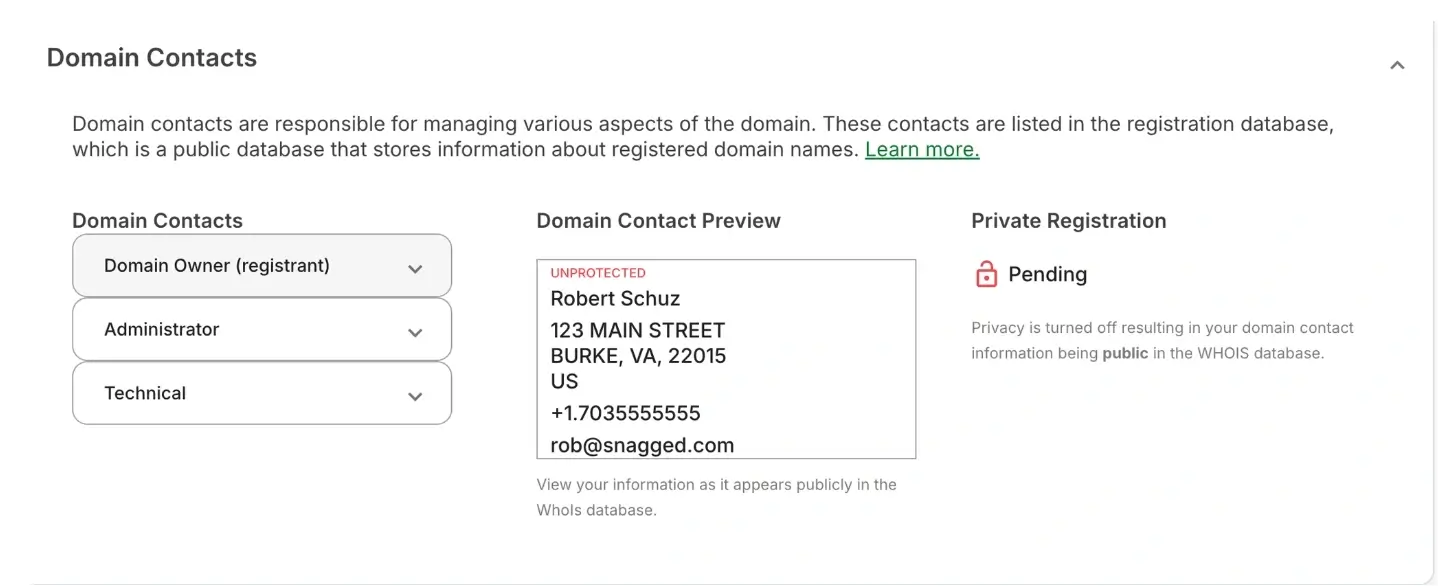
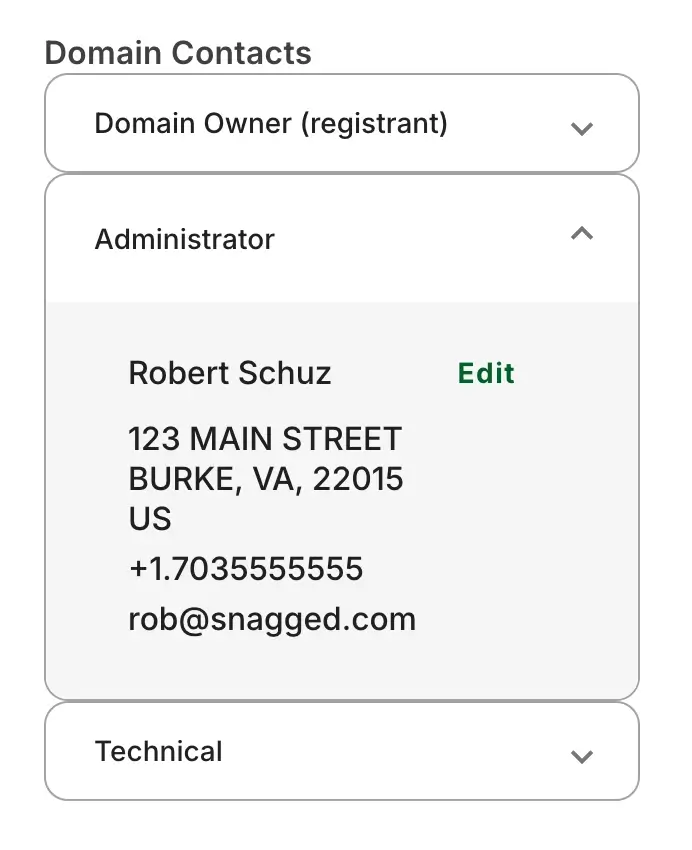
4. Choose the contact type to update
You can update the different contact roles: registrant, administrative and technical contacts by expanding each one of them then click “Edit”
Click “Change” at the bottom right of the pop-up
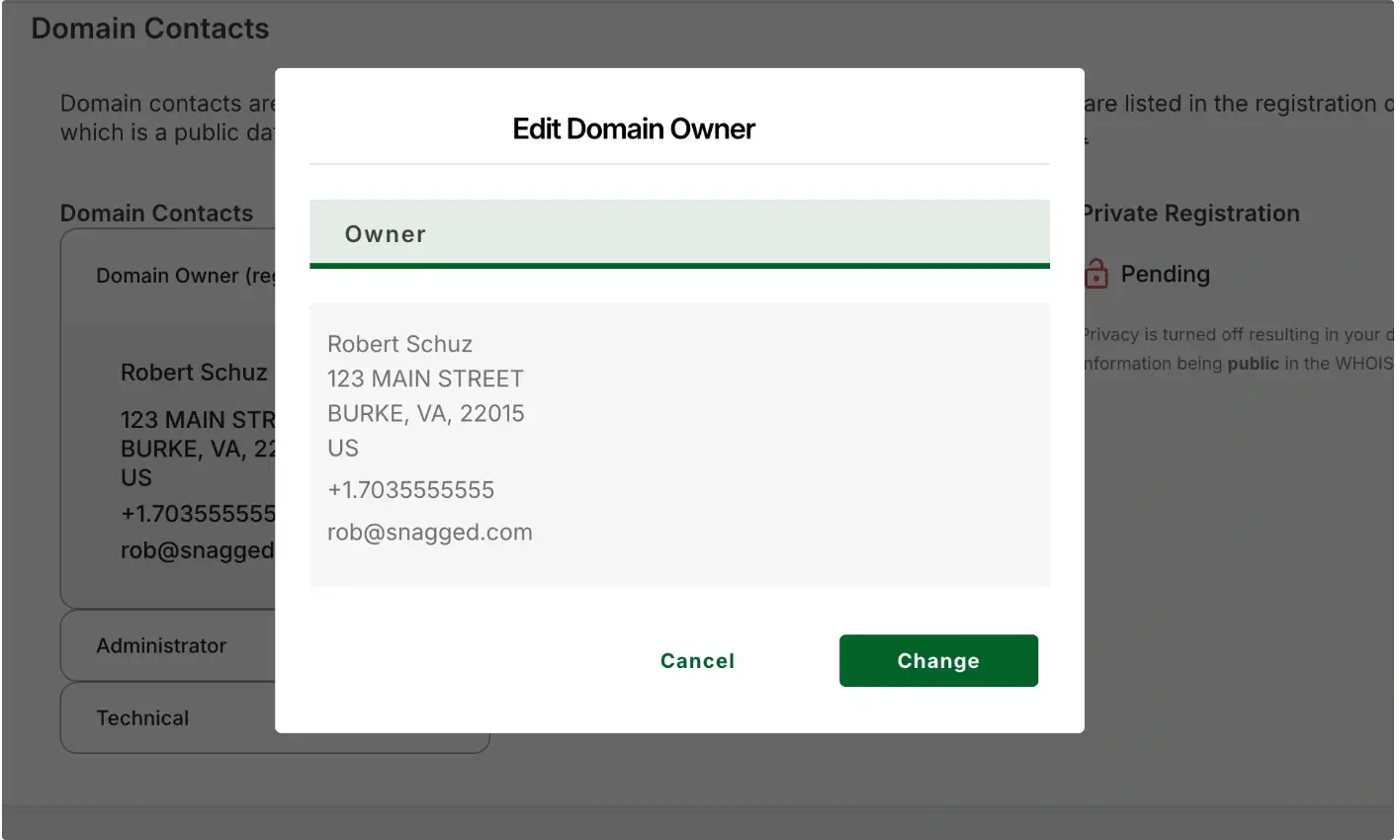
5. Update the contact details
Edit the required fields such as: Name, Organization, Email Address, Phone number, and Mailing address
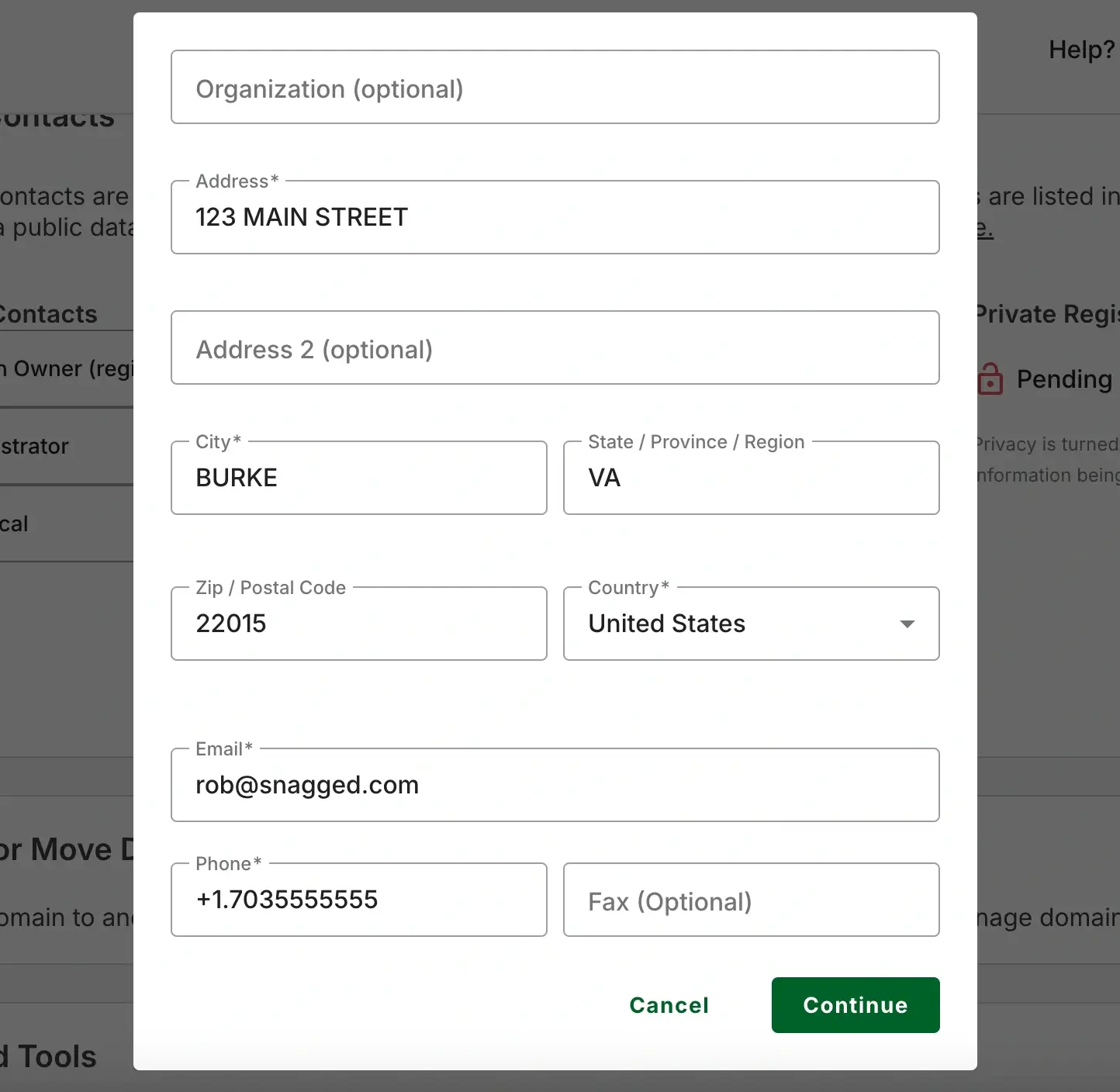
6. Save the record
Click Add to save changes
Important: 60-Day Transfer Lock
If you change the registrant name, organization, or email address, ICANN rules may apply a 60-day transfer lock to the domain.
During this period, the domain cannot be transferred to another registrar.
Common Issues
- Verification email not received
- Check your spam or junk folder
- Confirm the registrant email address is correct in your domain contact settings
- Domain suspended due to verification failure
- ICANN requires registrant email verification
- If verification is not completed within the required timeframe, the domain may be temporarily suspended until verified
We regularly review and update our guides to keep them accurate. If something looks off, email guides@snagged.com and we’ll fix it.