How to change domain contact information on GoDaddy

Quick Answer
To change domain contact information on GoDaddy, log in to your account, open your Domain Portfolio, select your domain, and update the Registrant, Administrative, or Technical contact details. Changing registrant information may trigger a 60-day transfer lock due to ICANN rules.
Steps to Change Domain Contact Information on GoDaddy
1. Log in to your GoDaddy account
Log into to your GoDaddy Account
Go to Profile located at the top right corner of your screen
Click “My Products” to access domain portfolio once the dropdown menu appears
2. Open your domain settings
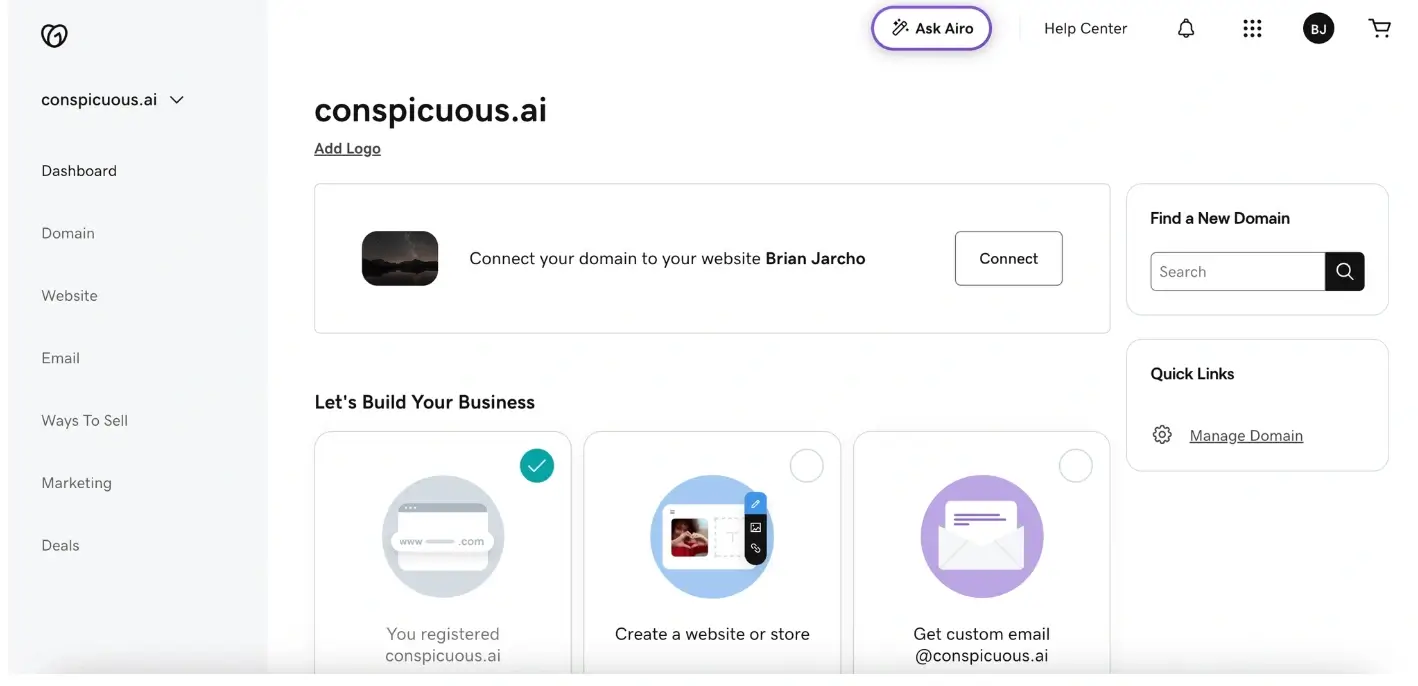
Find the domain you want to manage
Click on “Domain” on the menu located at the far left of your screen
Now click on “Registration Settings” on the menu at the top
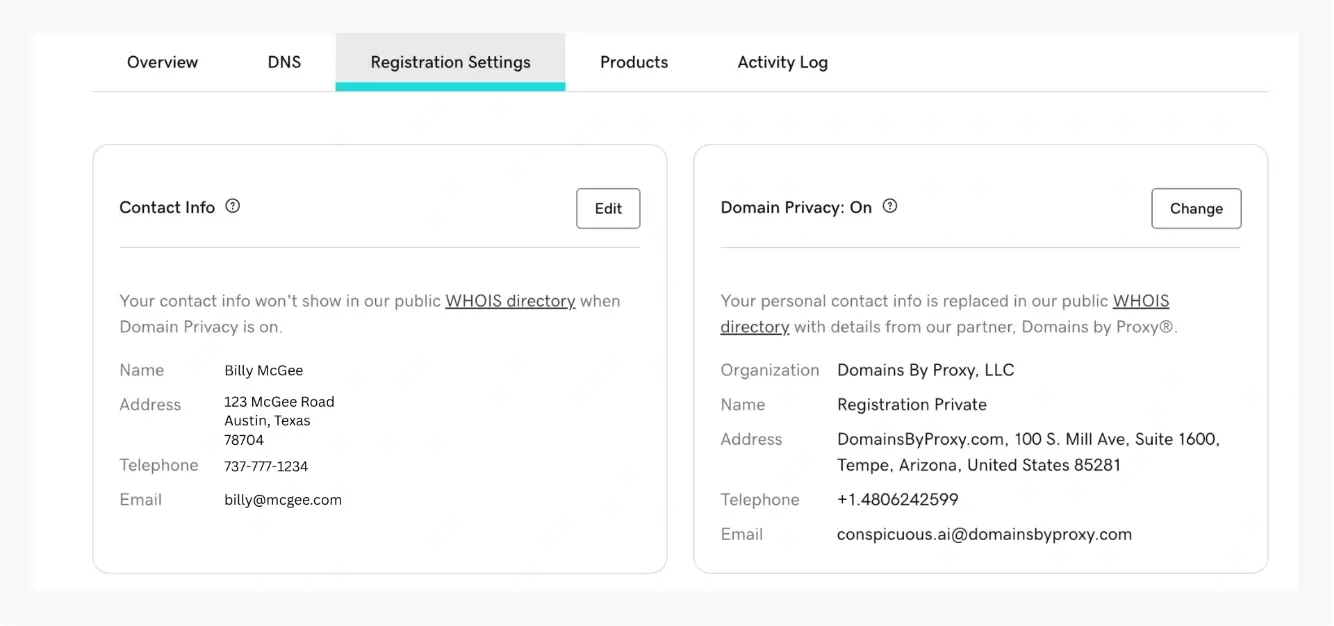
3. Open contact settings
Locate Contact Information and click Edit
Edit Info such as Name, Organization, Email Address, Phone Number and Mailing Address
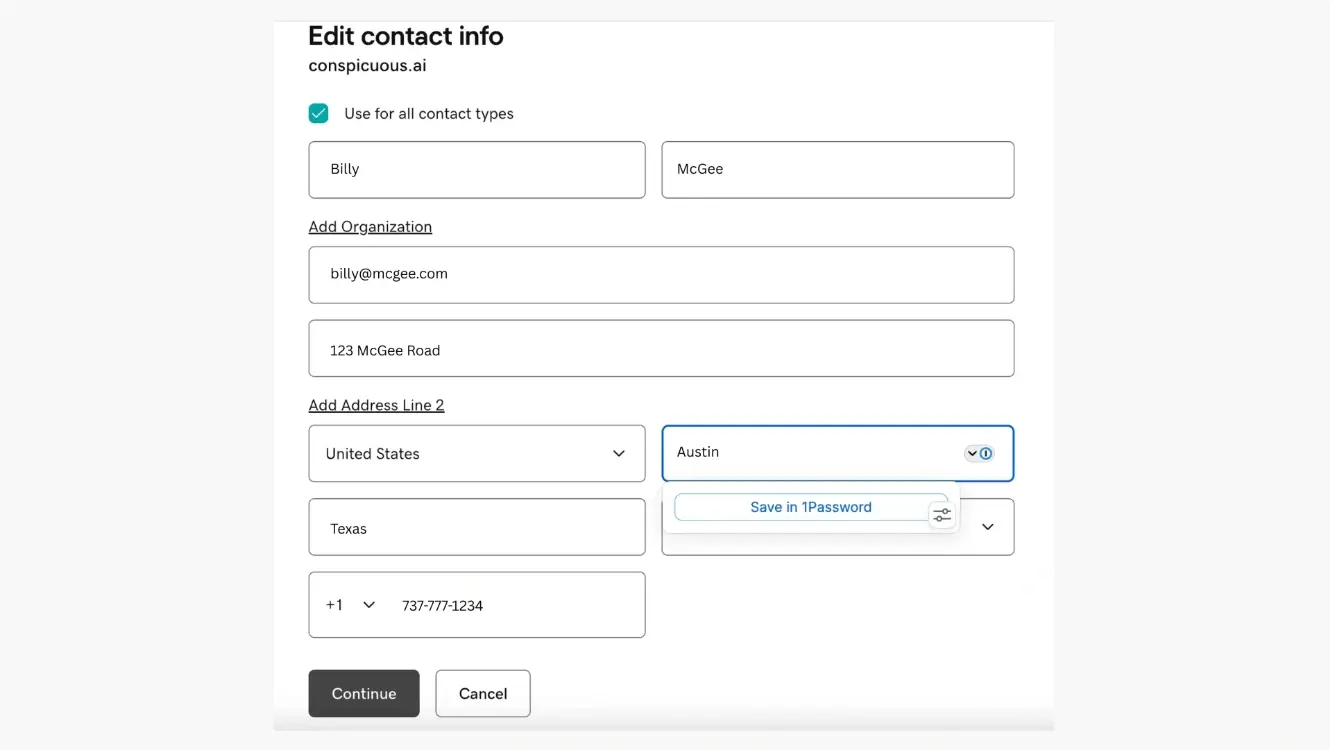
Click “Continue” to save changes
Important: 60-Day Transfer Lock
If you update the registrant name, organization, or email address, ICANN rules may apply a 60-day transfer lock.
During this period, the domain cannot be transferred to another registrar.
Common Issues
- Transfer blocked after updating contact information
- This is expected after changing registrant details
- The lock typically lasts 60 days
- Changes not reflected in WHOIS
- WHOIS updates may take several hours to appear across lookup services
We regularly review and update our guides to keep them accurate. If something looks off, email guides@snagged.com and we’ll fix it.