How to change DNS records on Network Solutions

Quick Answer
To change DNS records on Network Solutions, log in to your account, open My Domain Names, select your domain, and access the DNS Settings or Advanced DNS section. From there you can add, edit, or delete DNS records such as A, CNAME, MX, or TXT records.
Steps to Change DNS Records on Network Solutions
1. Log in to your Network Solutions account
Go to your Network Solutions Account
Enter your ‘Username’ and ‘Password’
2. Open your domain settings
Go to your domain list
Find the domain you’re looking for and click Settings

3. Locate DNS records settings
Scroll down to “Advanced Tools”
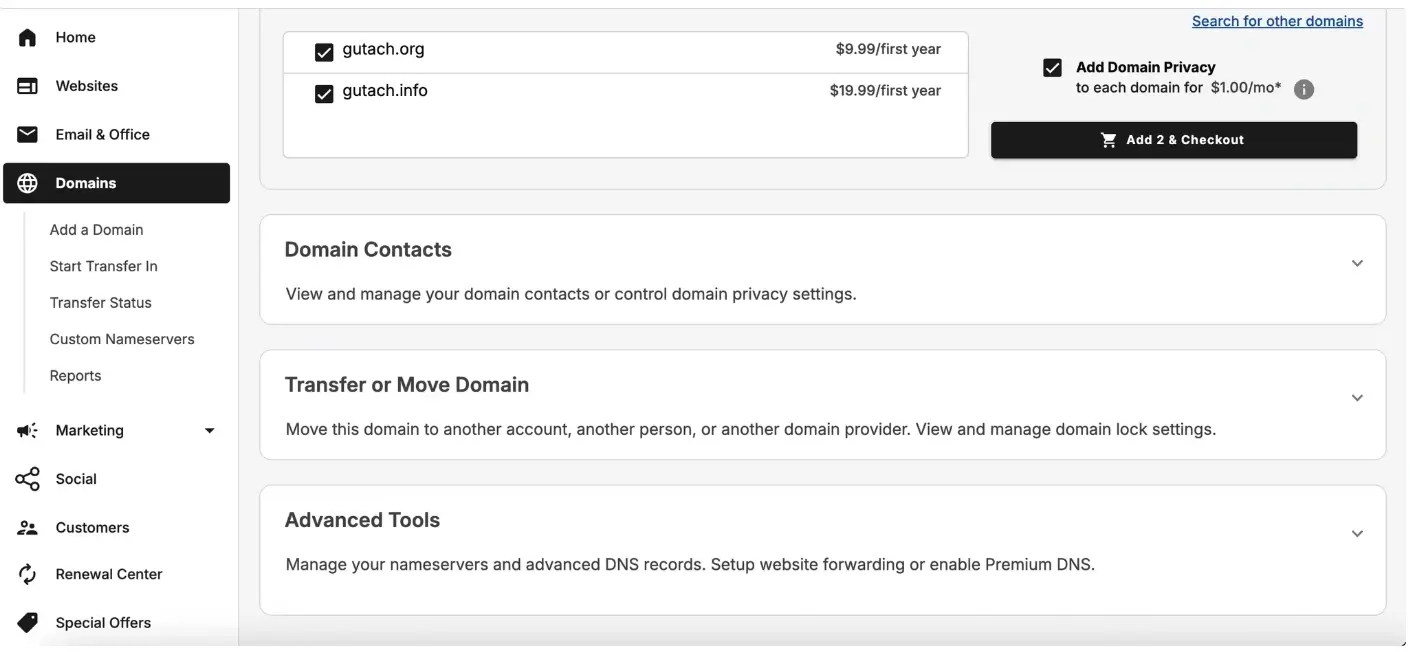
Expand Advanced tools and click “Manage” next to the Advanced DNS records
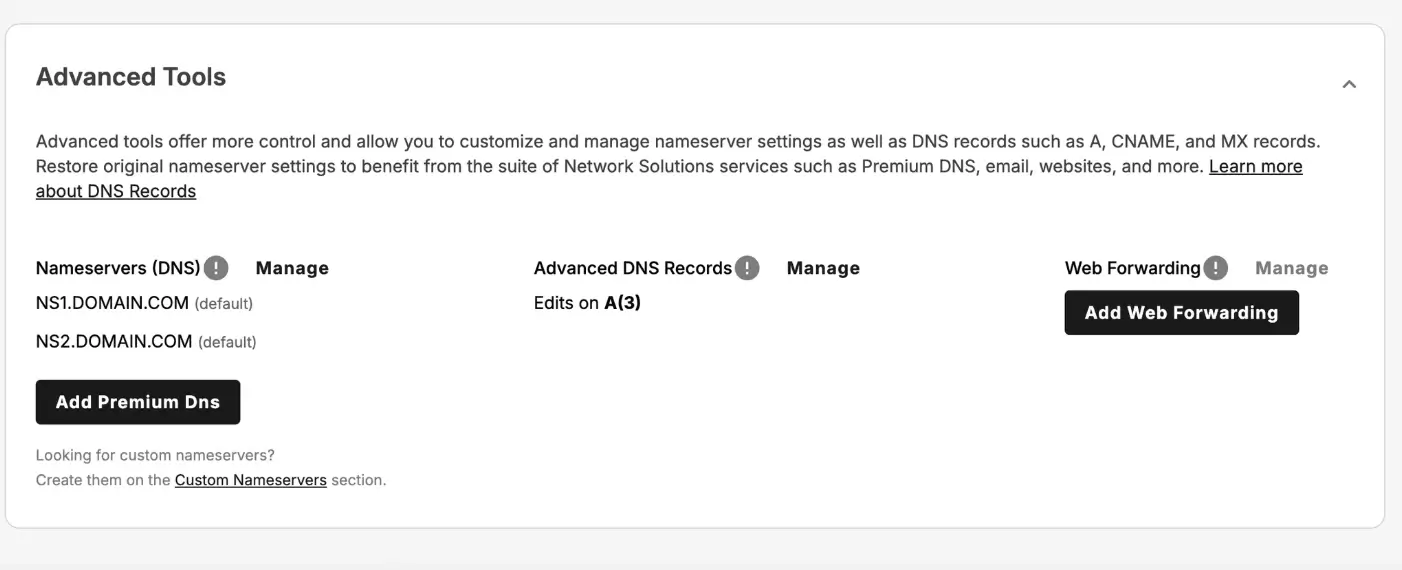
A pop-up will show on your screen then click “Continue”
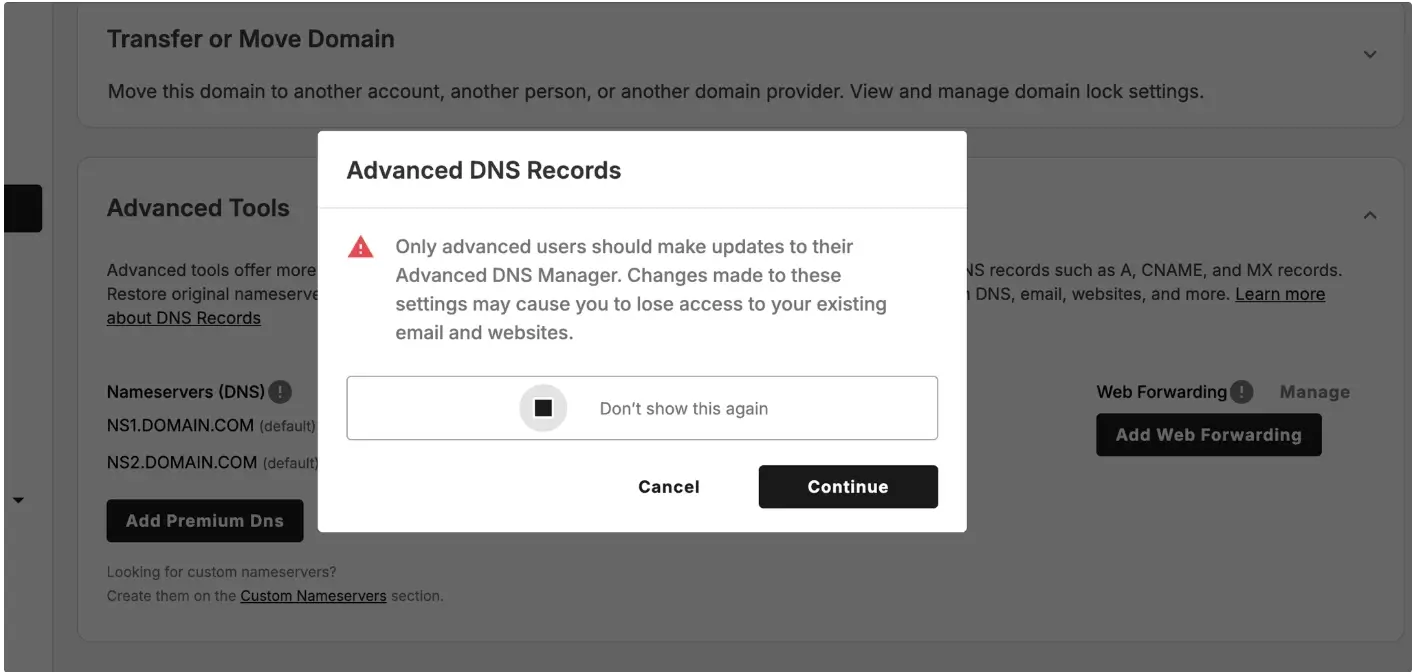
4. Find the DNS record you want to update
Common record types include:
A record: Points a domain to an IP address
CNAME record: Points a subdomain to another domain
MX record: Controls email routing
TXT record: Used for verification and security settings
5. Edit an existing DNS record
Locate the three dots at the end of the DNS record you want to modify, then click “Edit.”
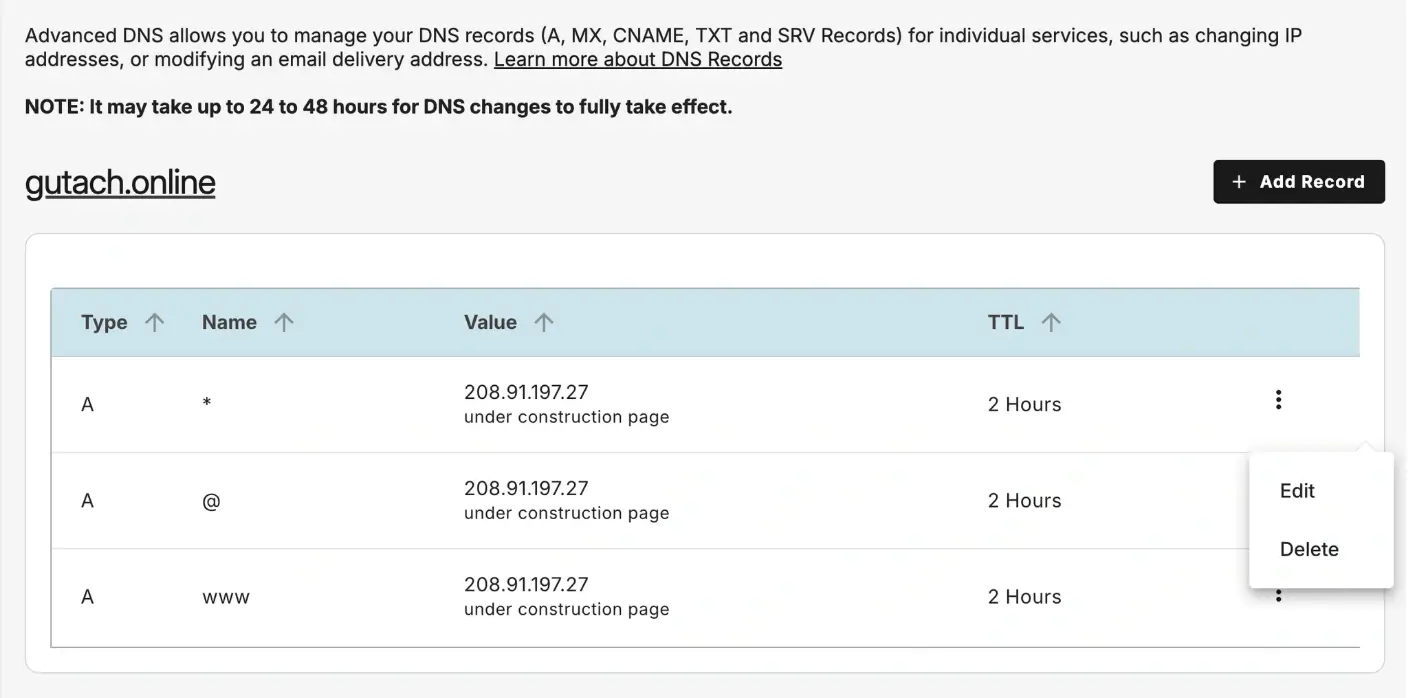
Modify the specific fields according to your needs then click “Edit” again to save changes
.webp)
What Happens Next
DNS updates typically propagate across the internet within a few minutes to 24 hours, depending on the TTL settings.
Common Issues
- DNS changes not taking effect
- Wait for DNS propagation
- Clear your browser or DNS cache
- DNS records cannot be edited
- Confirm the domain is using Network Solutions Nameservers
- If custom nameservers are set, DNS must be managed at that provider
We regularly review and update our guides to keep them accurate. If something looks off, email guides@snagged.com and we’ll fix it.