How to add an SPF record on Network Solutions

Quick Answer
To add an SPF record on Network Solutions, log in to your account, open My Domain Names, select your domain, and go to DNS Settings or Advanced DNS. From there you can add a TXT record containing the SPF policy for your domain.
Steps to Add an SPF Record on Network Solutions
1. Log in to your Network Solutions account
Go to your Network Solutions Account
Enter your ‘Username’ and ‘Password’
2. Open your domain settings
Go to your domain list
Find the domain you’re looking for and click Settings

3. Locate DNS records settings
Scroll down to “Advanced Tools”
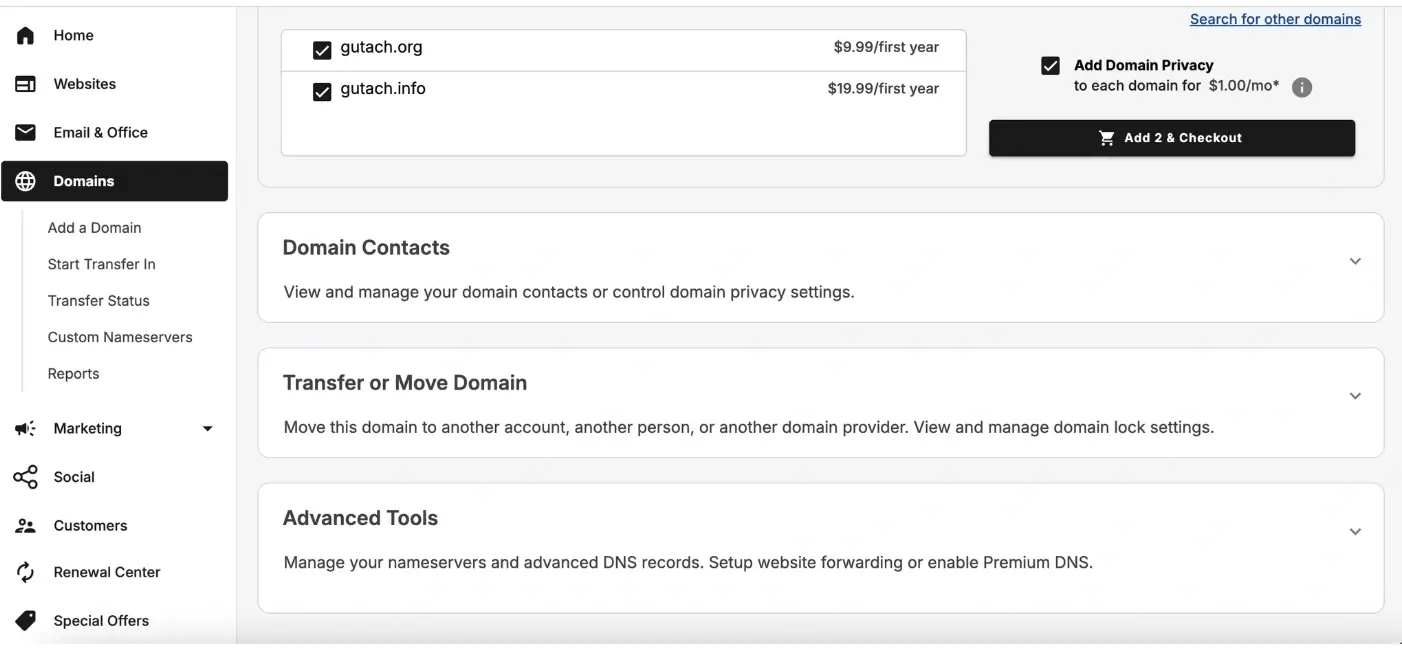
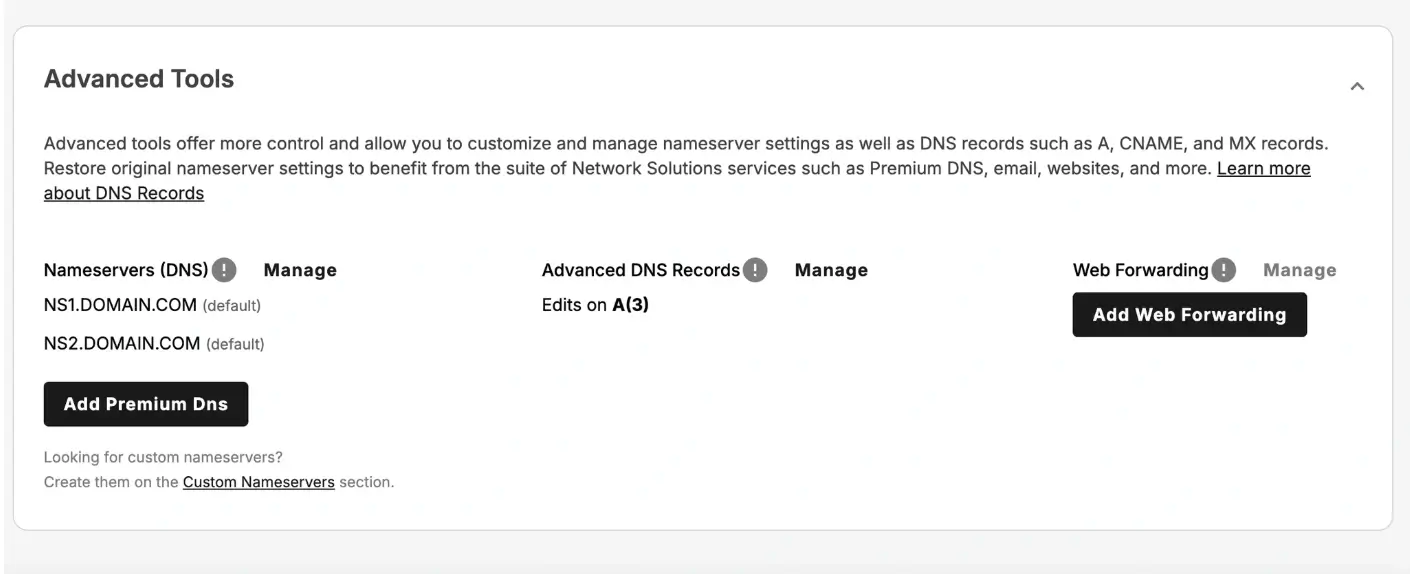
Expand Advanced tools and click “Manage” next to the Advanced DNS records
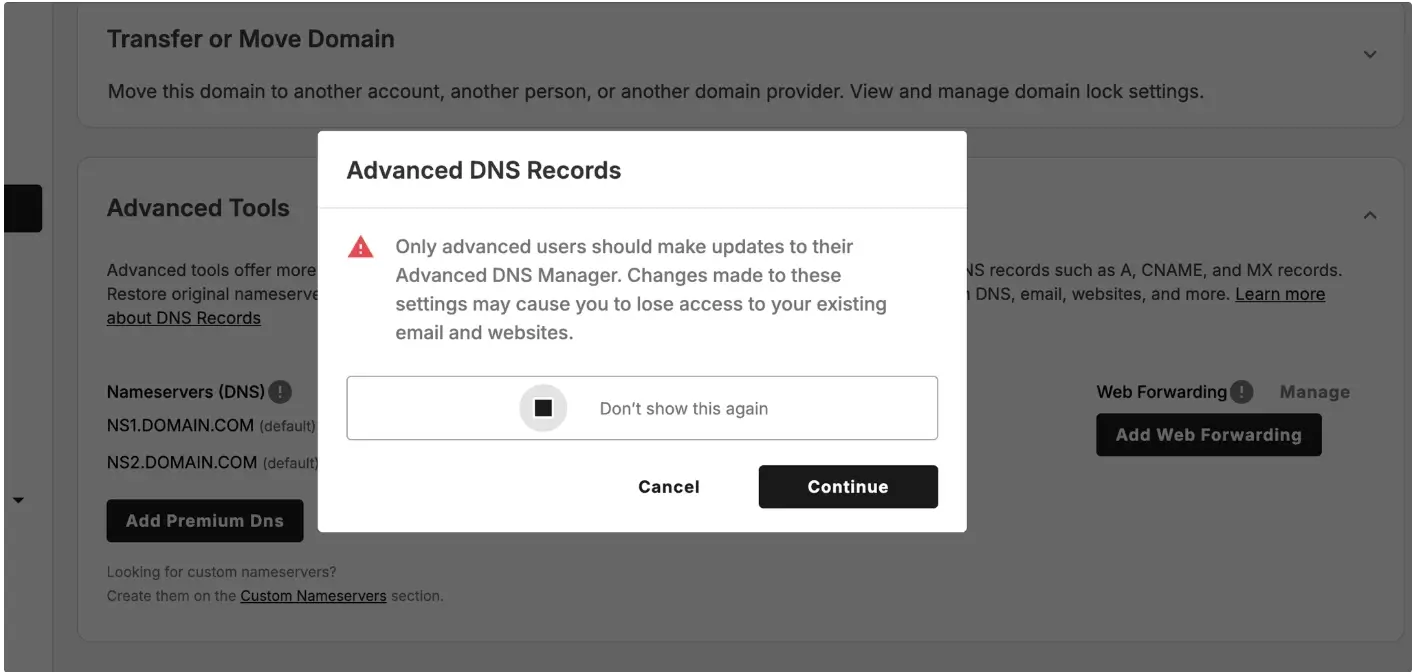
A pop-up will show on your screen then click “Continue”
4. Add a new DNS record
Click Add Record at the top right corner
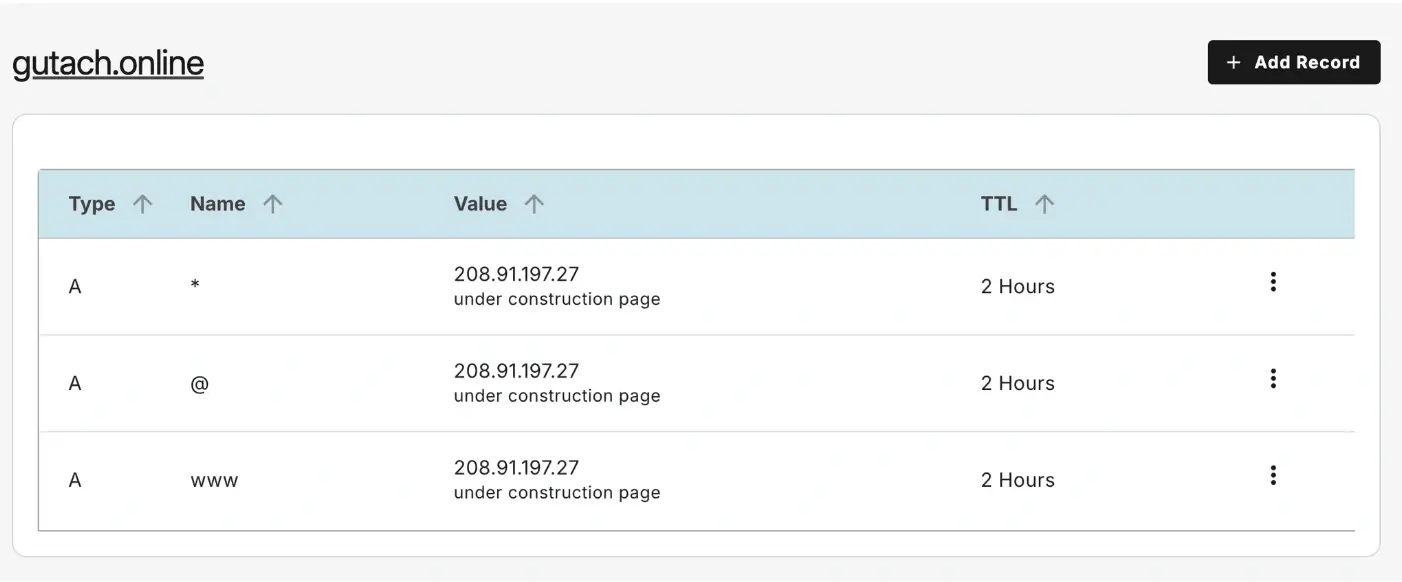
Select TXT Record from the record type options
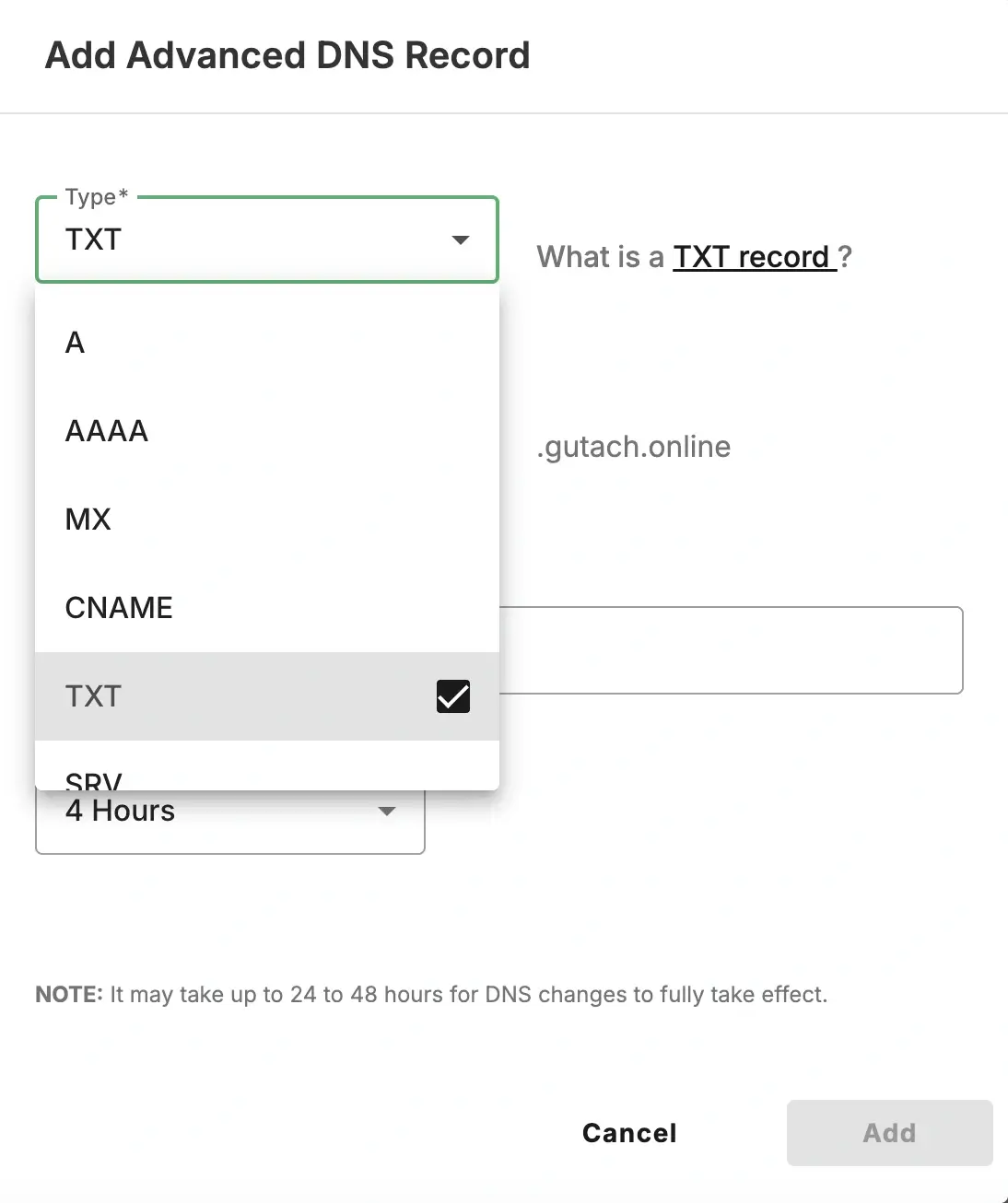
5. Enter the SPF record details
Fill in the required fields:
Refers to: @
TXT Value: your SPF record
Example SPF record:
v=spf1 include:_spf.google.com ~all
Use the SPF value provided by your email provider.
TTL: leave the default unless a specific value is required
6. Save the record
Click Add to save changes
What Happens Next
SPF records typically propagate within a few minutes to 24 hours depending on DNS caching and TTL settings.
Common Issues
- SPF record not working
- Confirm the SPF value is entered exactly as provided
- Only one SPF record should exist per domain
- Email authentication failing
- Check that all email services used by your domain are included in the SPF record
We regularly review and update our guides to keep them accurate. If something looks off, email guides@snagged.com and we’ll fix it.